

Self-hosting
Database, storage, stack and operational notes
Database: PostgreSQL only
PNeX runs on PostgreSQL, and only on PostgreSQL. The compose stack ships it
(postgres:18-alpine), tuned down by the raspi profile: the same database runs
on a Raspberry Pi, a laptop and a cluster.
- There is no SQLite mode any more (it was dropped before 0.1.0):
DATABASE_URLmust point to PostgreSQL. - The job queue (firmware builds, media) lives in the same database: nothing else to run.
- Schema migrations run when the server starts, one pod at a time behind a database lock: several replicas can start together.
- Backups are the database plus the object store (
pnexctl backup).
Storage: PostgreSQL and S3
Two stores, the same on a Raspberry Pi and on a cluster:
- PostgreSQL holds the data and the job queue.
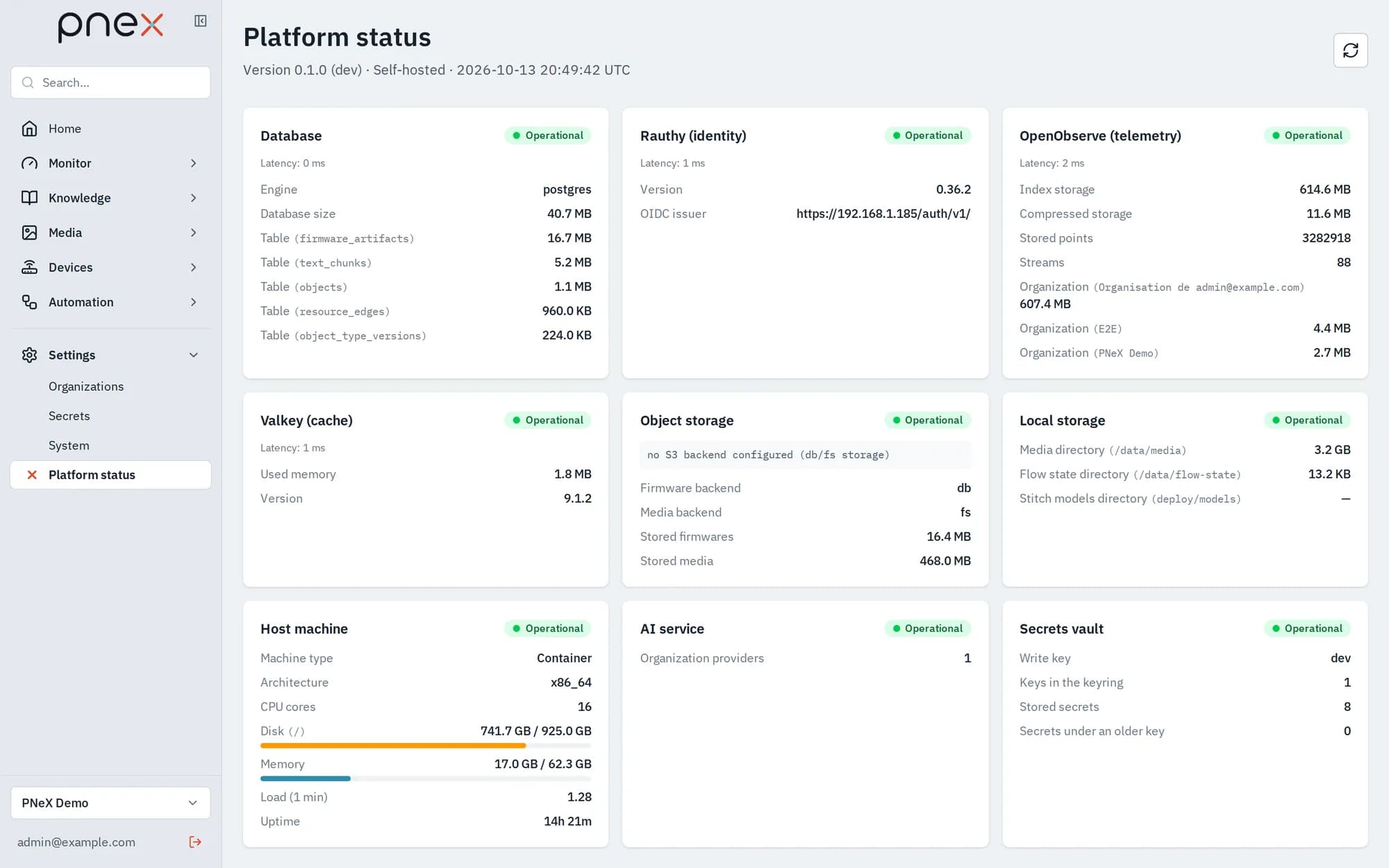
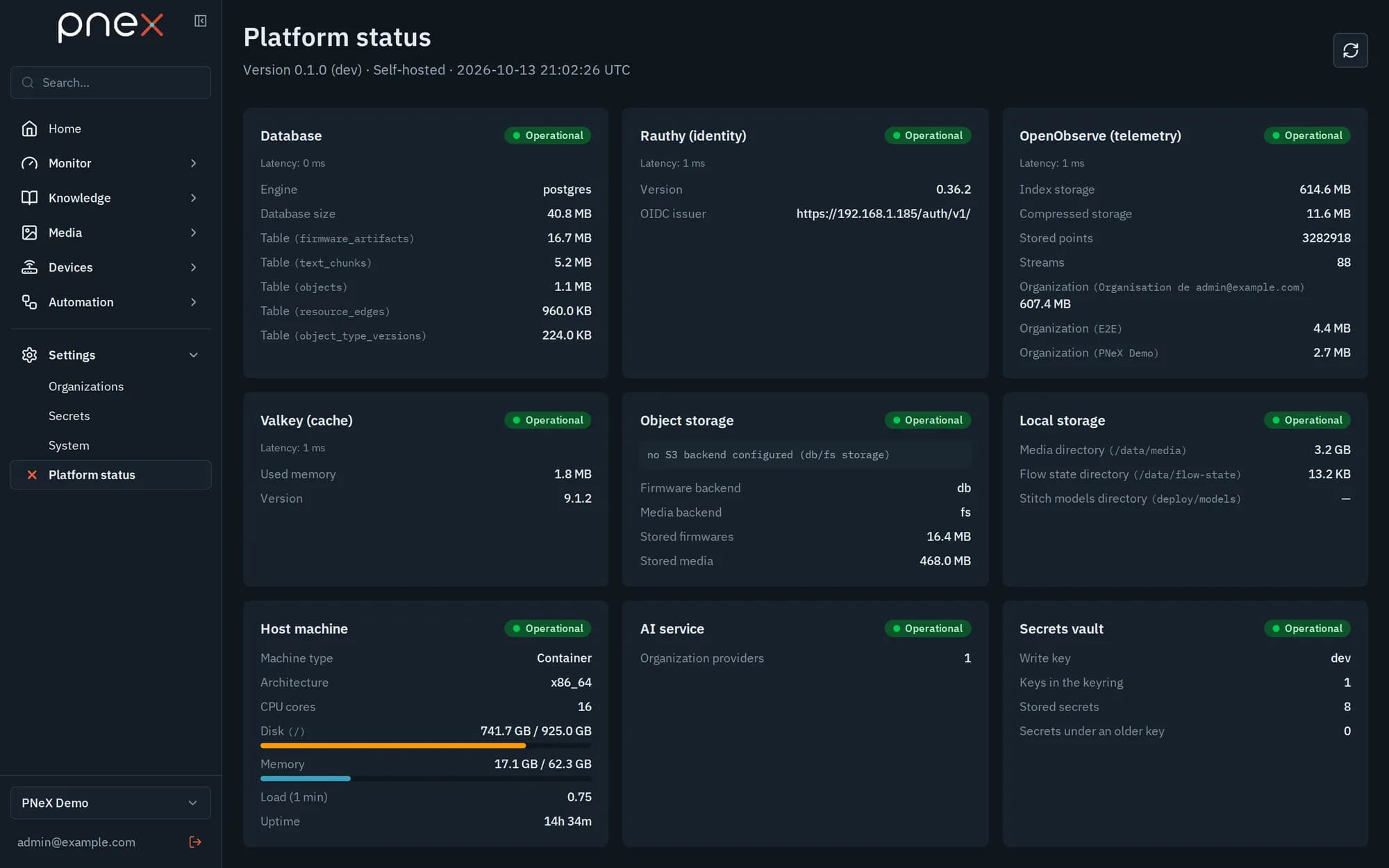
- S3-compatible object storage holds the files: firmware artifacts, media, models, recordings. RustFS is the reference, bundled with the stack; any remote S3 service works too.
Local filesystem storage is dropped: RustFS costs next to nothing, even on a Raspberry Pi, and one storage path is easier to keep reliable. Stateless API replicas scale on top of the same two stores.
The compose stack
docker compose up -d starts PostgreSQL, Rauthy, OpenObserve, RustFS, Valkey and
the PNeX server. Valkey holds caches and presence only, with no persistence.
The same Compose stack runs in development and in production — on a laptop, a Raspberry Pi or a cloud VM. Development builds the PNeX image; production pulls a tagged release image instead. Images build on Wolfi (Chainguard) for a minimal footprint.
Kubernetes: a Helm chart deploys the same stack on a cluster — see Installation → Kubernetes.
TLS everywhere
An nginx edge terminates all TLS, on two doors:
- 443:
https://<your-domain>, for browsers and the native apps (desktop and Android) — UI, API, browser websockets, identity; - 4443: the device endpoint (
PNEX_DEVICE_PORT), for devices only — device websockets, cameras and OTA downloads, over mutual TLS with a client certificate per device. The server compiles this name into firmware throughPNEX_DEVICE_HOST(host[:port], or just:porton a LAN).
UI certificate modes:
- Local mode (default): a private certificate authority is generated once and
the server certificate is renewed automatically. The default name is
<hostname>.local, published on the LAN by mDNS — name your Raspberry Pipnexand the platform lives athttps://pnex.local. Import the CA once on each client. - Public VM without a domain:
--domain sslip --tls cloudnames the server after its public IP (pnex-203-0-113-7.sslip.io) and gets a Let's Encrypt certificate — see Names and TLS. - Cloud mode: certificates from Let's Encrypt, renewed automatically. Ports 80 and 443 must be reachable from the internet, and 4443 from wherever the devices are.
What devices pin. Firmware pins the CA of the device endpoint, injected into
every build: the local CA in local mode, ISRG Root X1 in Compose cloud mode (4443
serves the same Let's Encrypt certificate as the UI), the private CA generated by
the chart on Helm (default). Losing or changing the local CA means rebuilding and
reflashing the devices: back it up (pnexctl backup).
Organisation CA. Separately from the server certificate, each organisation has its own CA (ECDSA P-256, 30 years, key in the vault) that issues the client certificate of every build. Rotating it is not tooled in V1: a new CA means rebuilding and flashing every device of the organisation.
nginx was chosen because it honours small TLS records, which the ESP8266 needs. Never put a reverse proxy, a CDN or an Ingress in front of the device endpoint: TLS would end there and the client certificate would be lost.
Object storage
Install with --storage s3: the installer adds RustFS and points PNeX at it
(PNEX_STORAGE_BACKEND=s3 for firmware artifacts, PNEX_MEDIA_BACKEND=s3 for
media). The Helm chart always deploys RustFS. To use a remote S3 service instead,
set:
| Variable | Purpose |
|---|---|
PNEX_S3_ENDPOINT | Endpoint URL of the S3 service |
PNEX_S3_BUCKET | Bucket name |
PNEX_S3_REGION | Region (optional for most self-hosted stores) |
PNEX_S3_ACCESS_KEY / PNEX_S3_SECRET_KEY | Credentials — inject them from a secrets manager |
PNEX_S3_PATH_STYLE | true for path-style addressing (typical for self-hosted stores) |
The installer still accepts --storage fs (firmware in PostgreSQL, media on a
local volume) for existing installations; it is on its way out. Start new
installations on S3. Switching an installation from one to the other does not
migrate its files.
Operational notes
- The server is a single static binary: backups are the database plus the object store.
- A reverse proxy may sit in front of the web app and the API (443); WebSocket upgrades must pass. Never in front of the device endpoint (4443).
- Versions: the API contract is versioned and the web app gates itself on boot against an incompatible server (compatibility gate).
Upgrades
Upgrading is re-running the installer or sudo pnexctl upgrade: secrets are kept
and migrations run when the server starts. Published betas go up to
0.2.0-beta.2; the end-of-year release will rather be a 0.3.0.
Upgrading from 0.1.0-beta.7 or earlier to any later version (--version latest
included) is a deliberate, one-time break: the strict device contract (mutual TLS,
Noise, signed OTA, device endpoint) is not in beta.7.
- Recreate the database: the schema was recut into a new baseline; a database created before is refused at start-up. A beta installation on SQLite must move to PostgreSQL (start from a fresh database).
- Rebuild and USB-reflash every device: firmware built before is refused (it cannot receive the OTA that would replace it).
- Re-enrol edge agents: they receive a client certificate at enrolment.
- Open port 4443 wherever the devices are.
Offline builds
The builder works offline: its image ships both PlatformIO cores and preloaded libraries (those of the PNeX firmware and of the pinned library catalog). PNeX firmware and custom builds that only use the catalog compile with no network, including on an isolated site.