

Cameras & Vision
Live ESP32-CAM video, continuous recording and object detection in flows
A camera is a device like any other: an ESP32-CAM flashed with the generic camera firmware registers itself, then streams encrypted JPEG frames to the server over a dedicated video channel. Everything else happens in the UI: live view, capture settings, recording, object detection and playback with the detections drawn over the video.
The pipeline has three independent pieces, all wired in a flow:
- Camera source — turns the camera stream into flow messages (a reference to the frame, never the bytes themselves).
- Video recording — writes the frames to storage as short MJPEG-AVI segments.
- Object detection — runs an ONNX model on the frames and emits the detections; optionally keeps them as a detection layer next to the recording.
No recording node means nothing is stored: live view and detection work without writing a single frame.
Cameras
Data › Cameras lists every device that announced a camera, with its streaming status, capture settings and the age of the last frame.
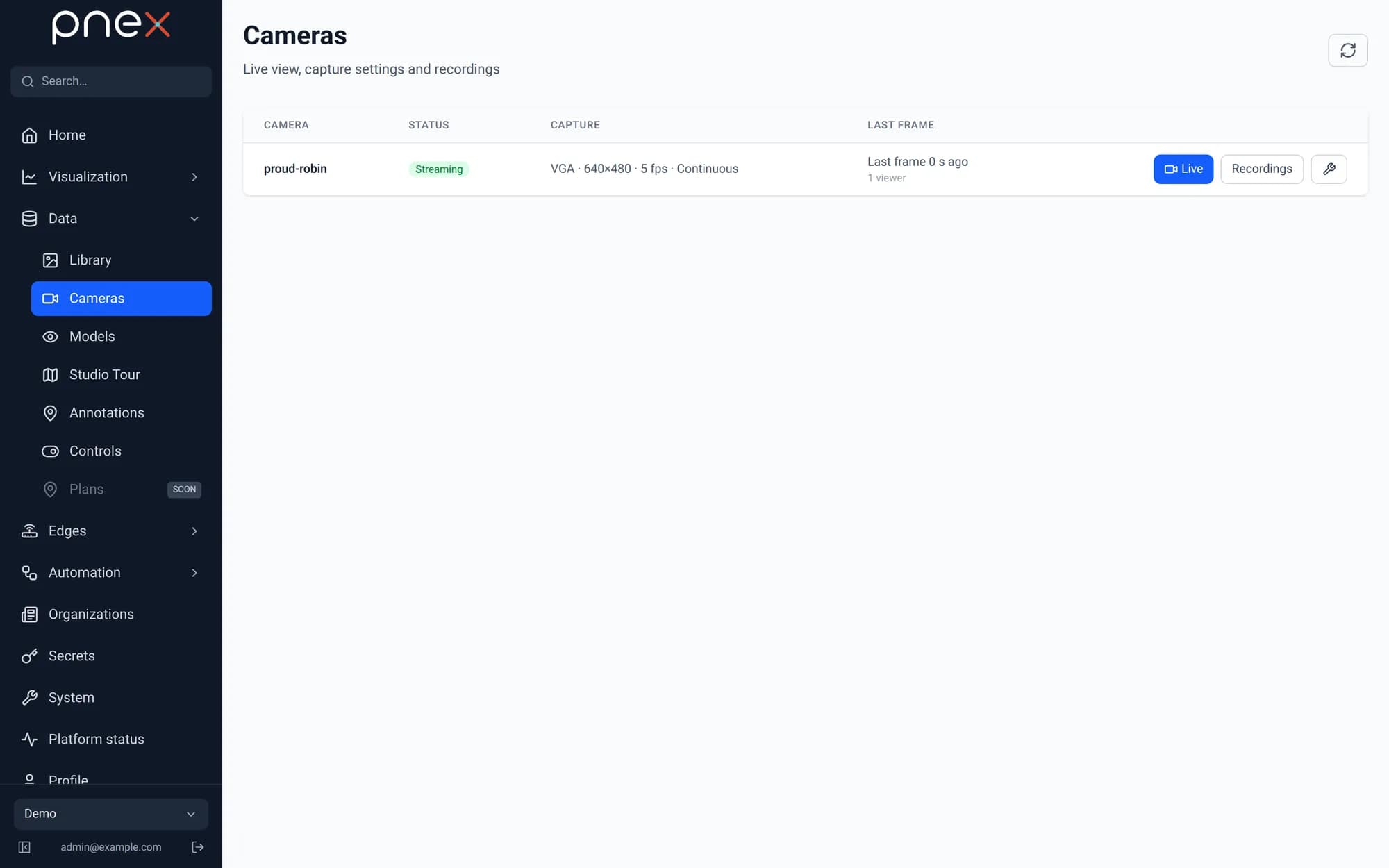
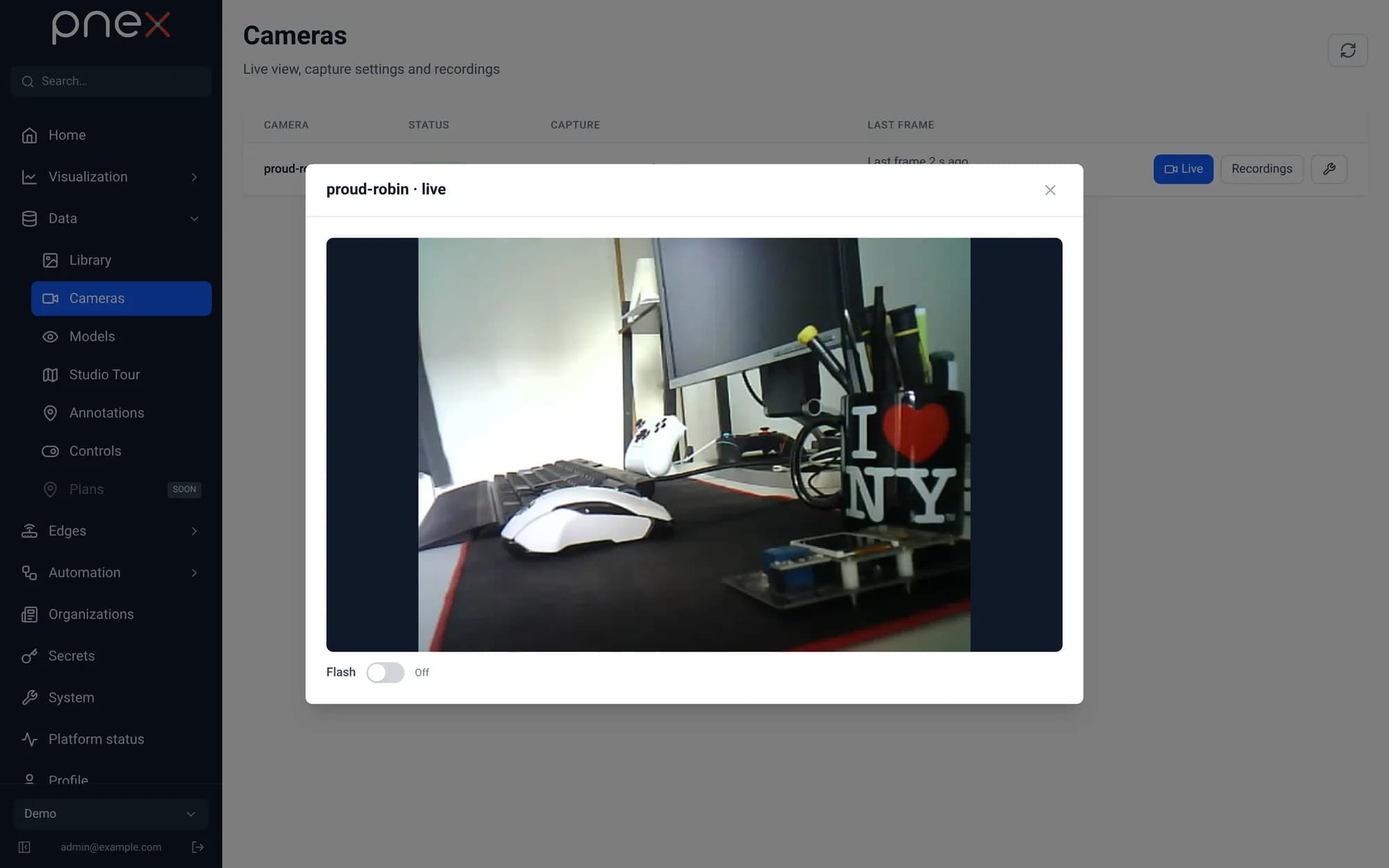
- Live opens the stream in the browser. Frames are pushed as they arrive; nothing is stored and no polling is involved.
- Recordings opens the day timeline and the player (see below).
- The wrench opens the capture settings: resolution, JPEG quality, frames per second, flips, and the capture mode.
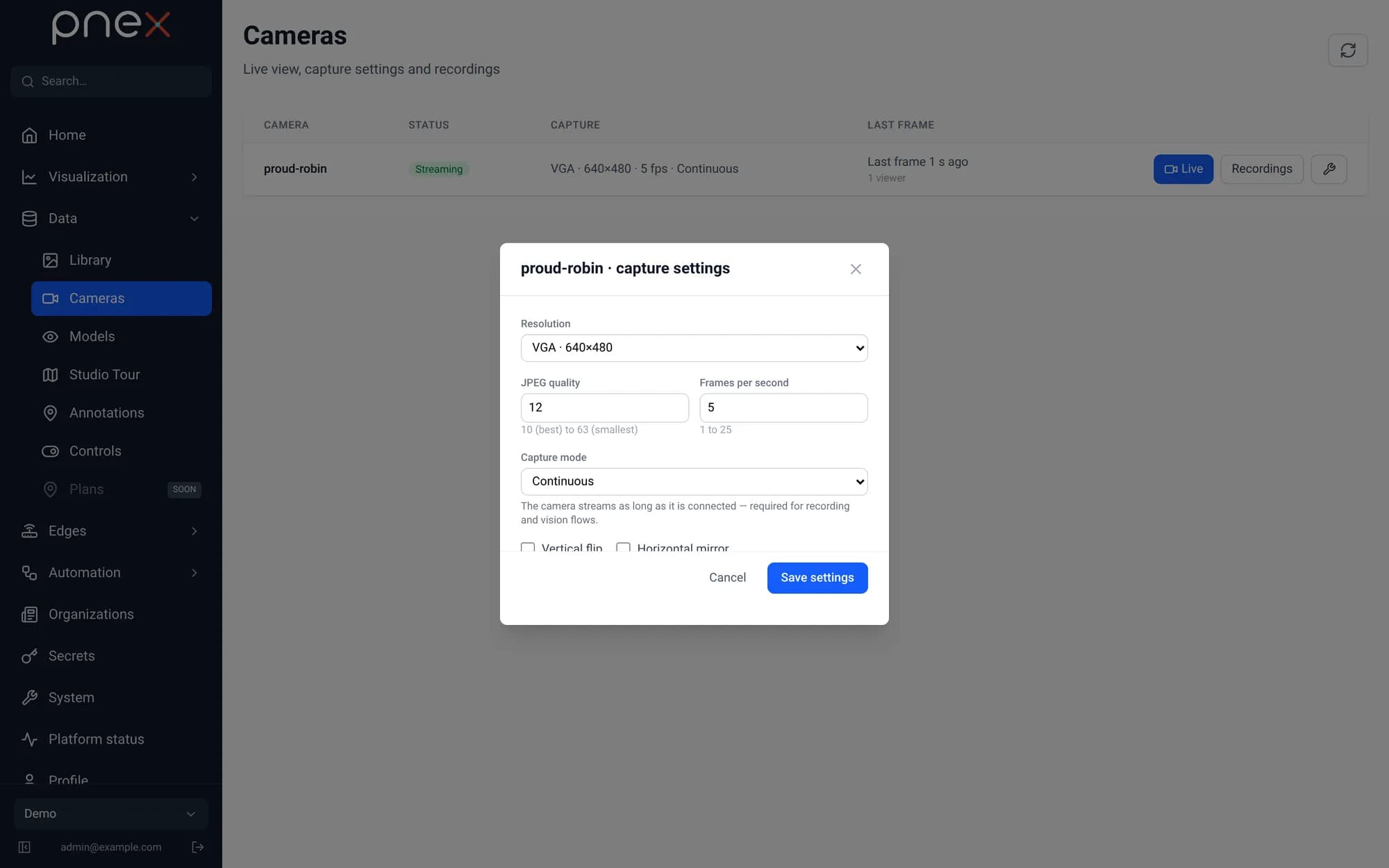
The capture mode decides when the camera sends frames:
| Mode | The camera streams… |
|---|---|
On demand (default) | only while someone watches the live view, or while a deployed flow reads it |
Continuous | as long as it is connected — the right choice for a camera recorded around the clock |
A deployed flow containing a Camera source always keeps its camera awake, even in
On demand mode.
Models
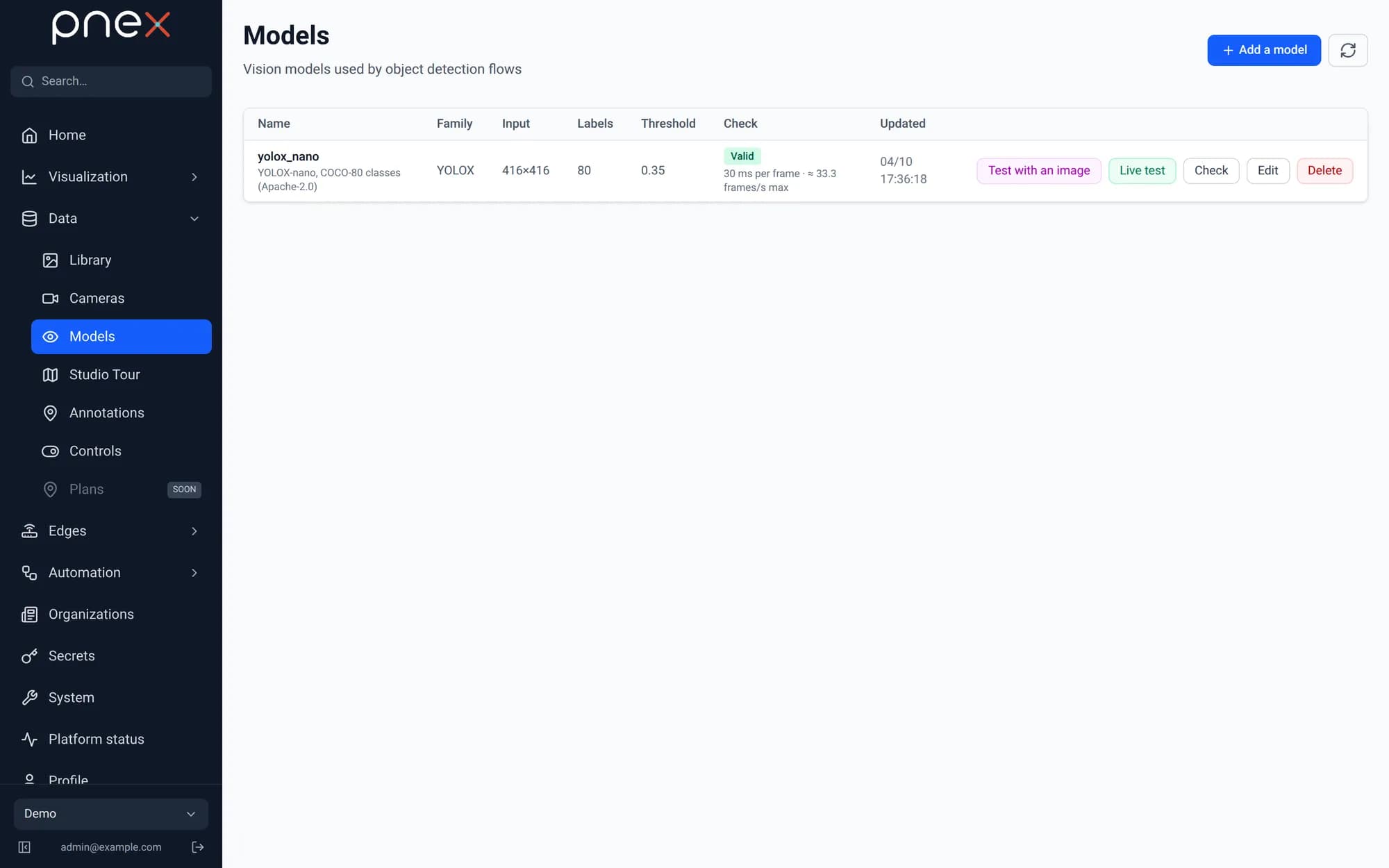
Data › Models is the registry of the vision models your flows can use. A model is an ONNX file stored in the media library plus its inference settings: family (YOLOX), input size, labels, score threshold and NMS IoU.
Add a model
Click Add a model, then upload an .onnx file or pick one already in the media
library.
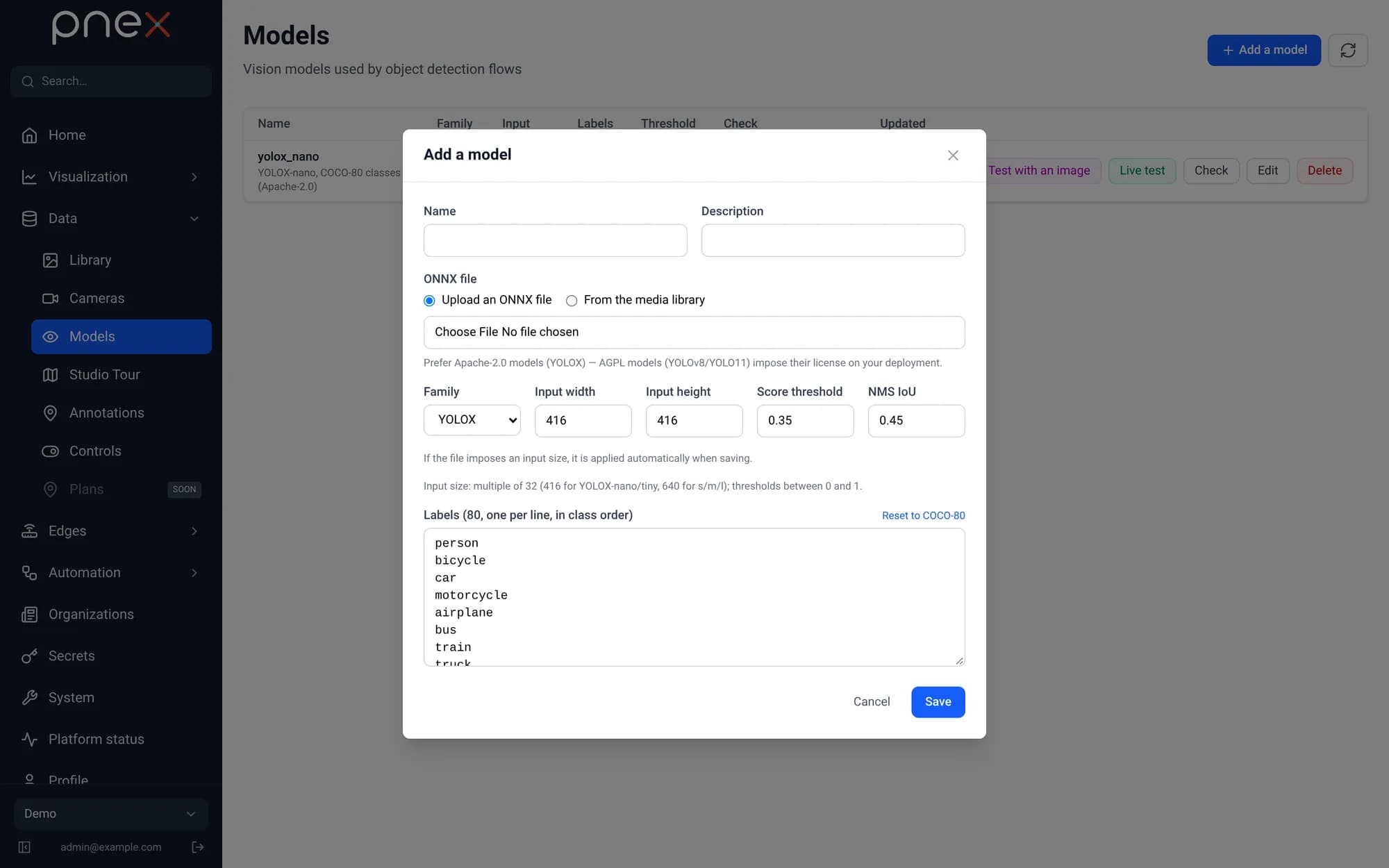
- The file decides the input size. When the ONNX file declares fixed dimensions (416×416 for YOLOX-nano/tiny, 640×640 for s/m/l), they are applied on save, whatever was typed.
- Labels are one per line, in class order. COCO-80 is pre-filled; the number of labels must match the number of classes of the file.
- The model is checked on save: it is loaded and run once on this server. A model that does not run is refused with the actual error, never stored half-working.
- The Check column shows the measured inference time and the sustainable rate (≈ frames per second). A model slower than your camera will skip frames.
Prefer Apache-2.0 models such as YOLOX. AGPL models (YOLOv8, YOLO11) impose their license on your whole deployment.
Test a model
- Test with an image runs the model on a JPEG or PNG and draws the boxes.
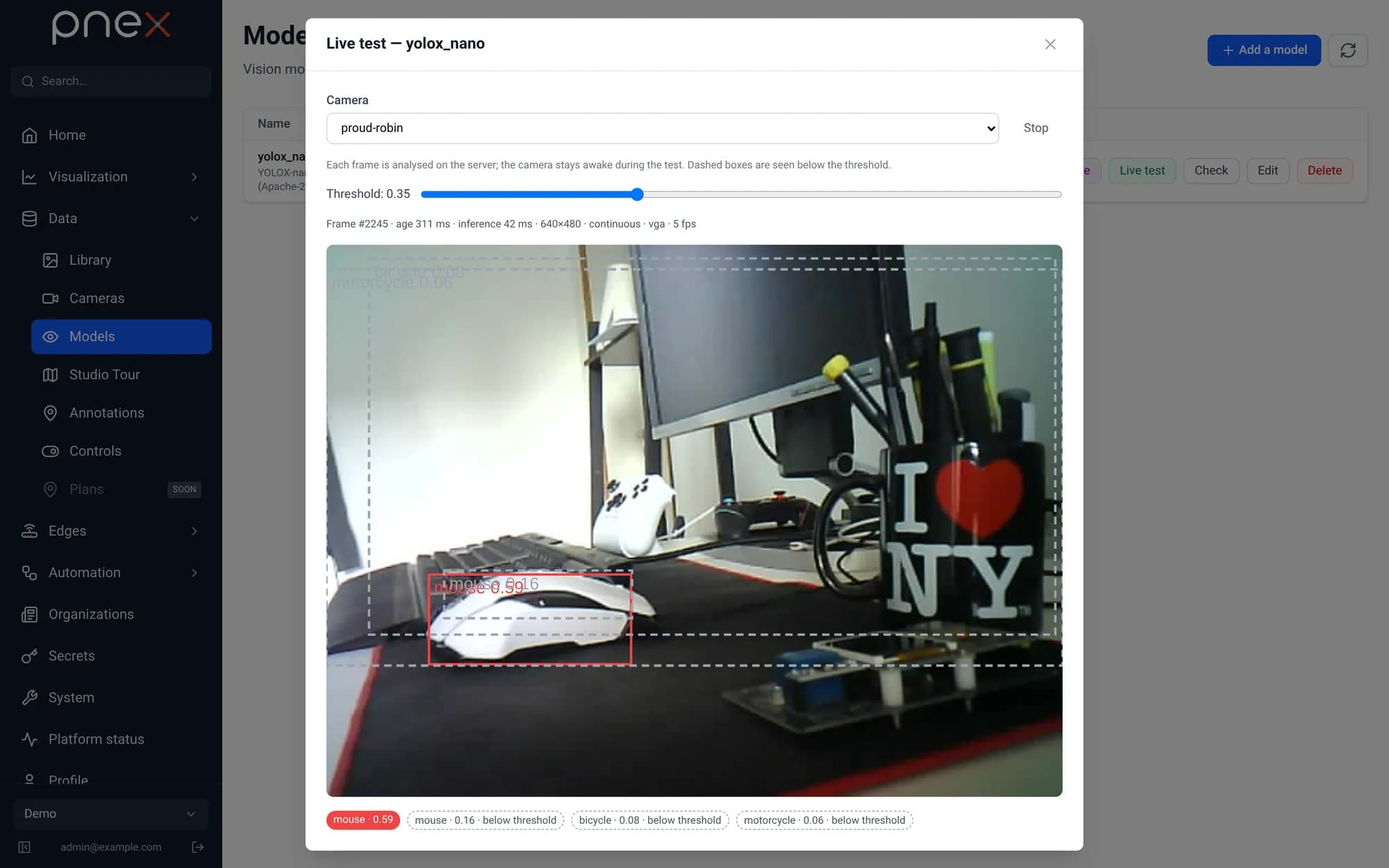
- Live test runs it on the latest frames of a camera. Boxes above the threshold are solid, those below are dashed: move the threshold slider to see what the model almost saw, then Apply this threshold to the model. Warnings flag a stale frame, an image too dark, or a model slower than the camera.
The detection and recording flow
A single flow records the camera and detects objects. Open Automation › Flows, create a flow, and add from the palette:
- Camera source — pick the camera.
Max frames per secondsamples the stream (0 = every frame). - Object detection — wire it after the camera source, pick the model and the labels to keep.
- Video recording — wire it after the same camera source.
- Optionally a Debug node after the detection to watch the results, then Deploy.
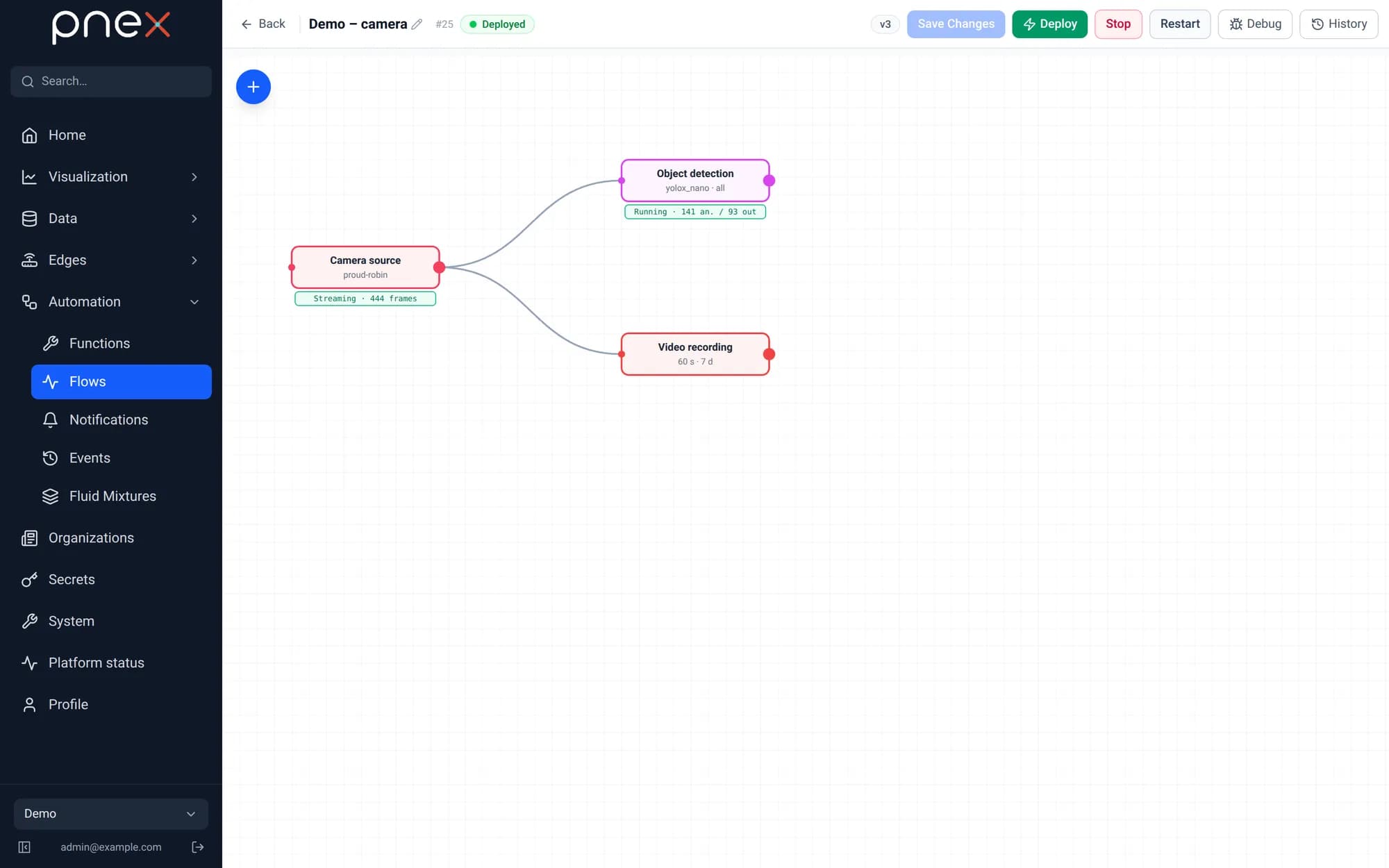
Once deployed, each node shows a live status badge under it: Streaming with the
frame count for the source, Running with analysed/emitted counters for the
detection. A model that fails to load or a camera that sends nothing shows up there
in amber or red — no need to dig into logs.
Object detection
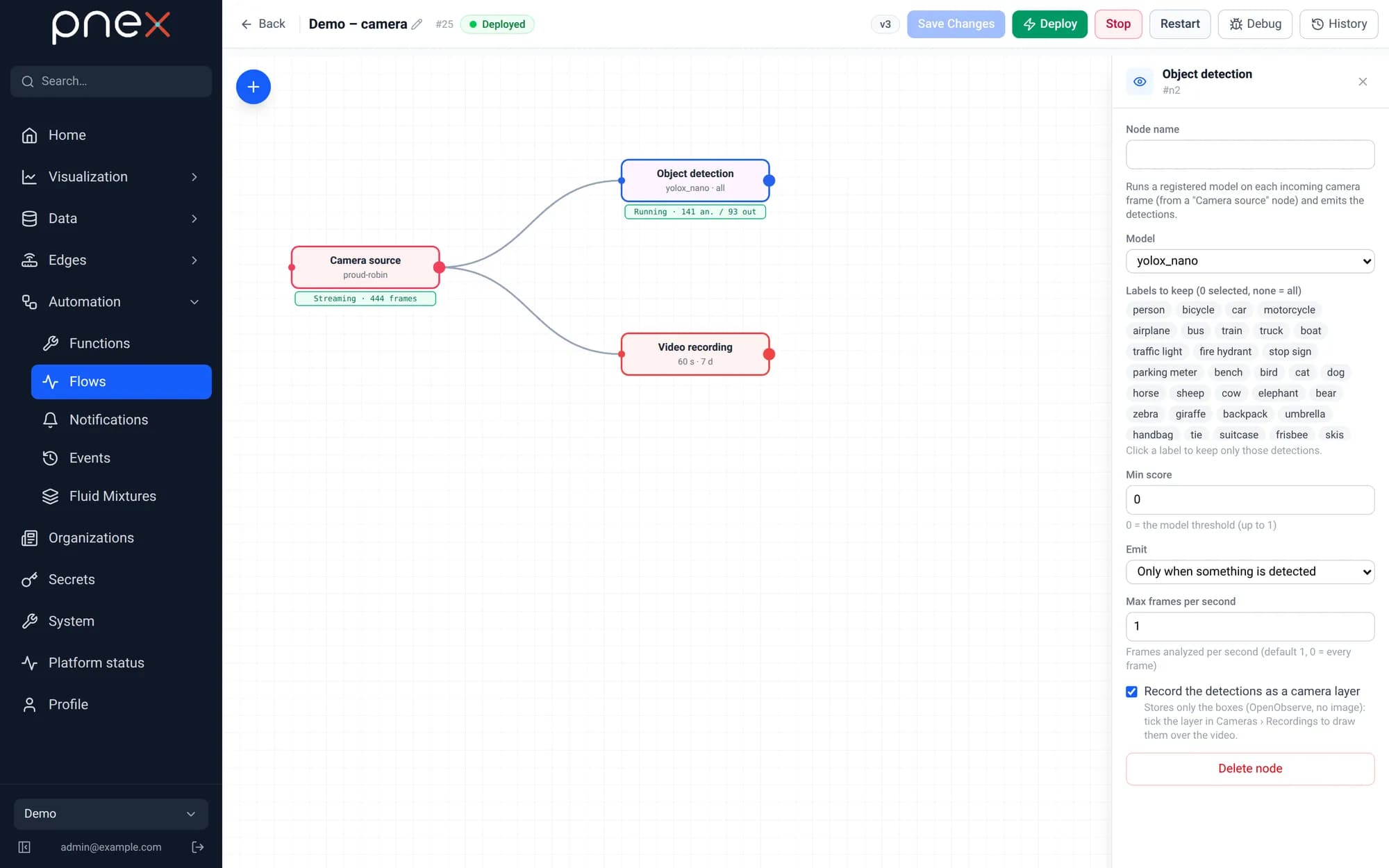
| Setting | Meaning |
|---|---|
| Model | A model of the registry (checked valid, otherwise deploy is refused) |
| Labels to keep | Click labels to keep only those detections (none = all) |
| Min score | Filter below this score; 0 = the model's threshold |
| Emit | For every analyzed frame, or Only when something is detected |
| Max frames per second | Frames analysed per second (default 1, 0 = every frame) |
| Record the detections as a camera layer | Keeps the boxes next to the recording (see below) |
The output payload carries detections — label, score and bbox per object —
plus a short summary ("chair 80%, tv 78%") shown on a Debug node. Chain it to a
Notification to be alerted when a person shows up, or to an Event log node
to keep a searchable history in Automation › Events.
Video recording
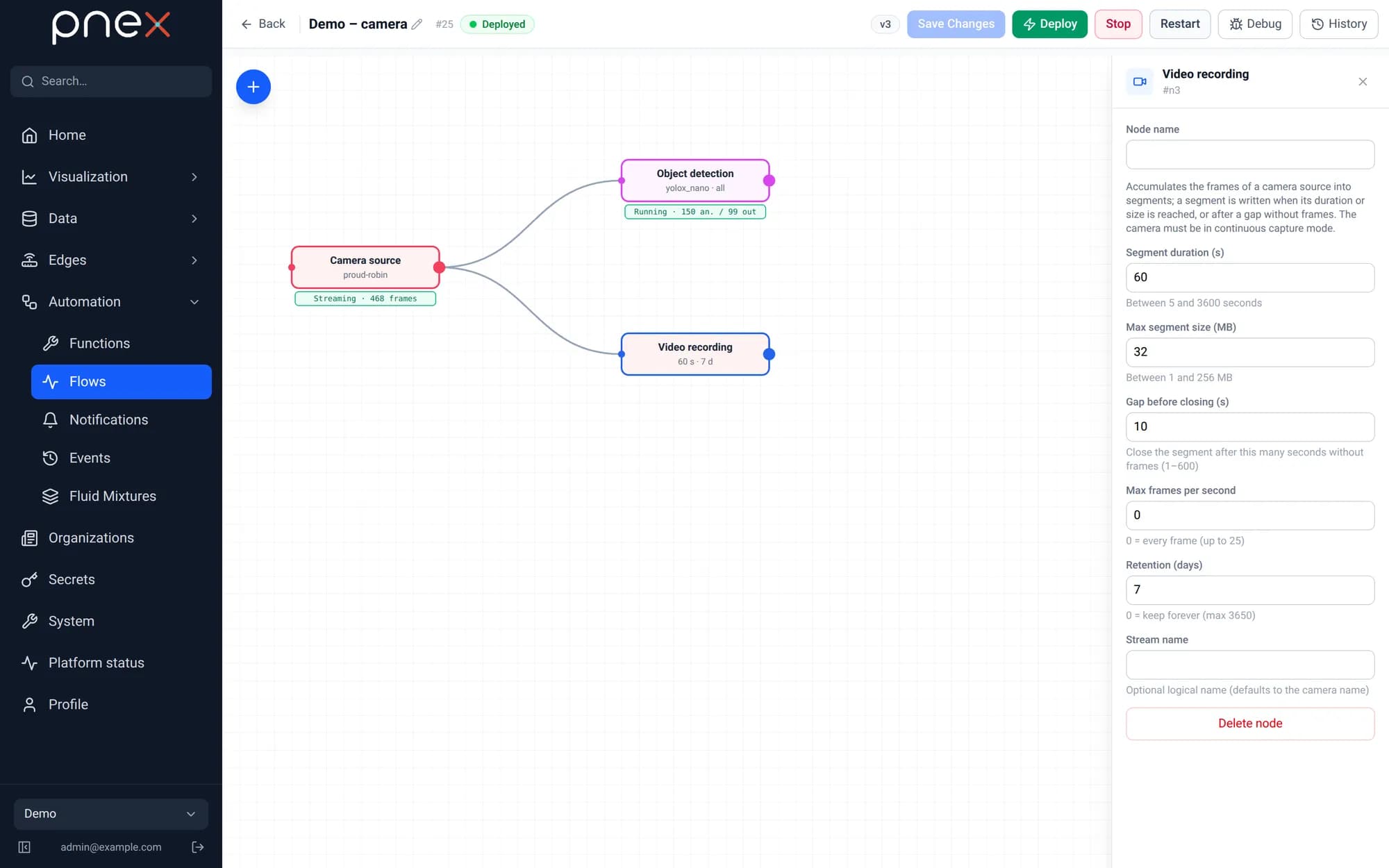
| Setting | Default | Meaning |
|---|---|---|
| Segment duration | 60 s | A segment is closed after this duration… |
| Max segment size | 32 MB | …or this size… |
| Gap before closing | 10 s | …or after this long without frames |
| Max frames per second | 0 | Recorded rate (0 = every frame) |
| Retention | 7 days | Segments older than this are deleted (0 = keep forever) |
| Stream name | camera name | Optional logical name |
Segments are MJPEG-AVI files, readable by VLC or ffmpeg, stored with the media backend (filesystem or S3-compatible). Short segments keep a crash from losing more than a minute, and retention works to the minute.
One camera has exactly one recorder in an organization: a second Video recording fed by the same camera is refused on save (same flow) or on deploy (another flow). Detection, on the other hand, can run in as many flows as you like.
Recordings and detection layers
Recordings shows one day at a time as a continuous recording, even though it is stored as segments:
- the timeline marks the recorded periods; drag the slider to jump anywhere;
- the player chains the segments (next one preloaded), at ×1 to ×8;
- export a time range as a single AVI file, or delete the day;
- Detection layers lists every detection node that recorded boxes that day. Tick a layer to draw its boxes over the video, one colour per layer.
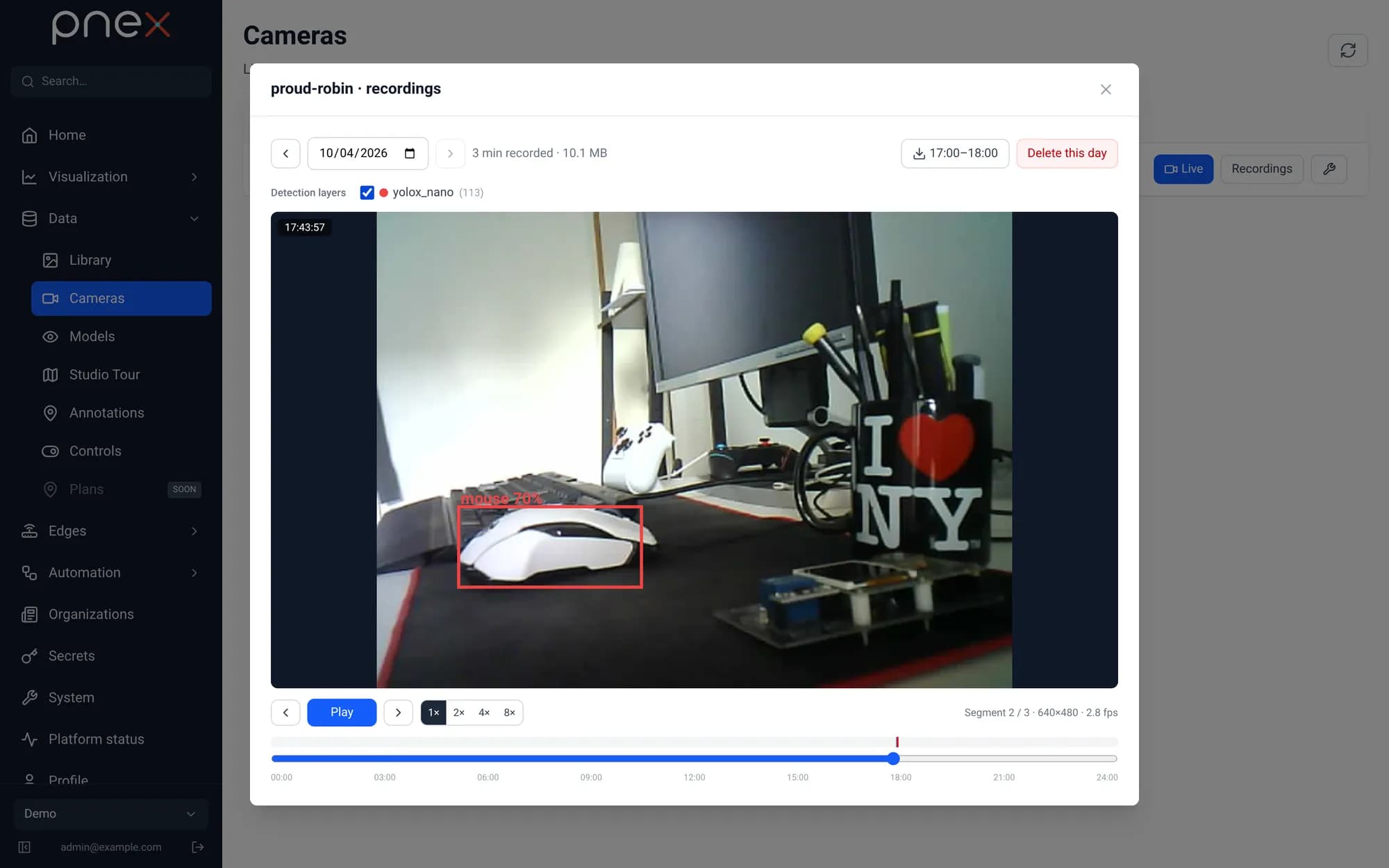
A layer stores only the boxes (label, score, position) in OpenObserve — a few hundred bytes per analysed frame instead of a second, annotated video. Layers need no wiring to the recorder: any detection node with Record the detections as a camera layer, in any flow, adds its own layer, named after the node (or the model). Their retention follows the organization's OpenObserve retention.
Sizing
An ESP32-CAM in VGA at quality 12 sends 15–30 KB per frame. At 5 fps that is about 360 MB per hour of continuous recording per camera. YOLOX-nano analyses a frame in about 30 ms on a desktop CPU; larger models (YOLOX-l, ~1.4 s) suit a sampled rate rather than every frame.