

Controls
Switches, sliders and buttons on your surfaces, acted on by a flow
PNeX follows one rule for anything you press on a screen: a surface reads, a flow acts. A dashboard, a mobile card or an annotation on a panorama never drives a device pin. Pressing a switch writes a control value; a deployed flow that listens to that control decides what happens: write a pin on one or several devices, send a notification, store a value, or anything else a flow can do.
Behaviour therefore lives in one visible, versioned place — the flow — and the same switch can drive a relay today and a scene of ten devices tomorrow without touching the dashboard.
Controls are created when you save
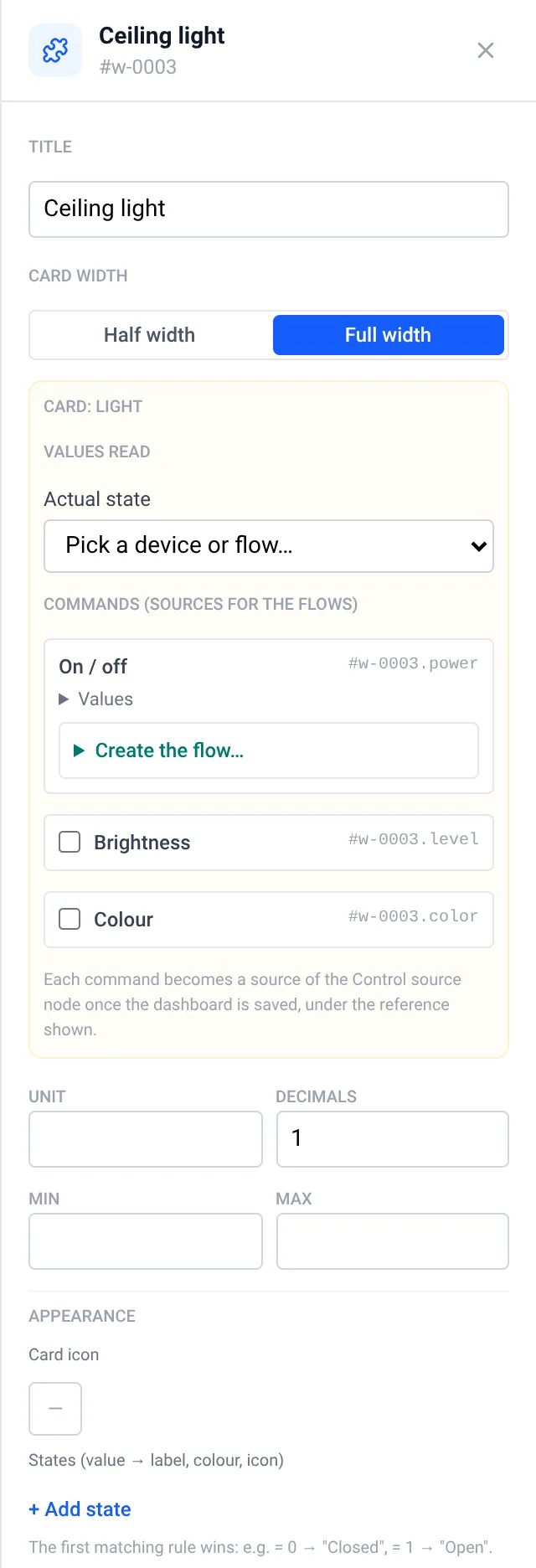
You never pick a control before saving. Add a switch, a slider or a home card to a
dashboard and save: each control widget, and each command of a home card, receives its
own control in the same transaction. The inspector shows the reference it will get,
for example #w-0001 or #w-0001.power for the On / off role of a Light card.
Delete the card and its control is released: removed if nothing uses it, kept as a standalone control if a flow still listens to it. To share one control between two surfaces (a dashboard and a panorama, say), use Link to an existing control… in the inspector.
Kinds
| Kind | Sends | Notes |
|---|---|---|
| Switch | 1 / 0 | Values editable |
| Slider | A number, 0–100 by default | Sent on release; plugs straight into a PWM duty |
| Button | One fixed value | |
| Number input | The typed number | |
| List of choices | The numeric value of the chosen option | Segments up to 4 options, a list above |
| Stepper (− / +) | The new value | Min, max and step |
| Commands | The numeric value of the pressed button | Open / Stop / Close = 1 / 0 / −1 by default |
| Colour | 0xRRGGBB as an integer, or a white temperature in K | 2200–6500 K by default |
Tick Ask for a confirmation before sending (sensitive actuator) for gates, locks and alarms. Presses closer than 250 ms on the same control are refused (Too fast). Viewers see controls disabled, and public shares are read-only.
What the flow receives
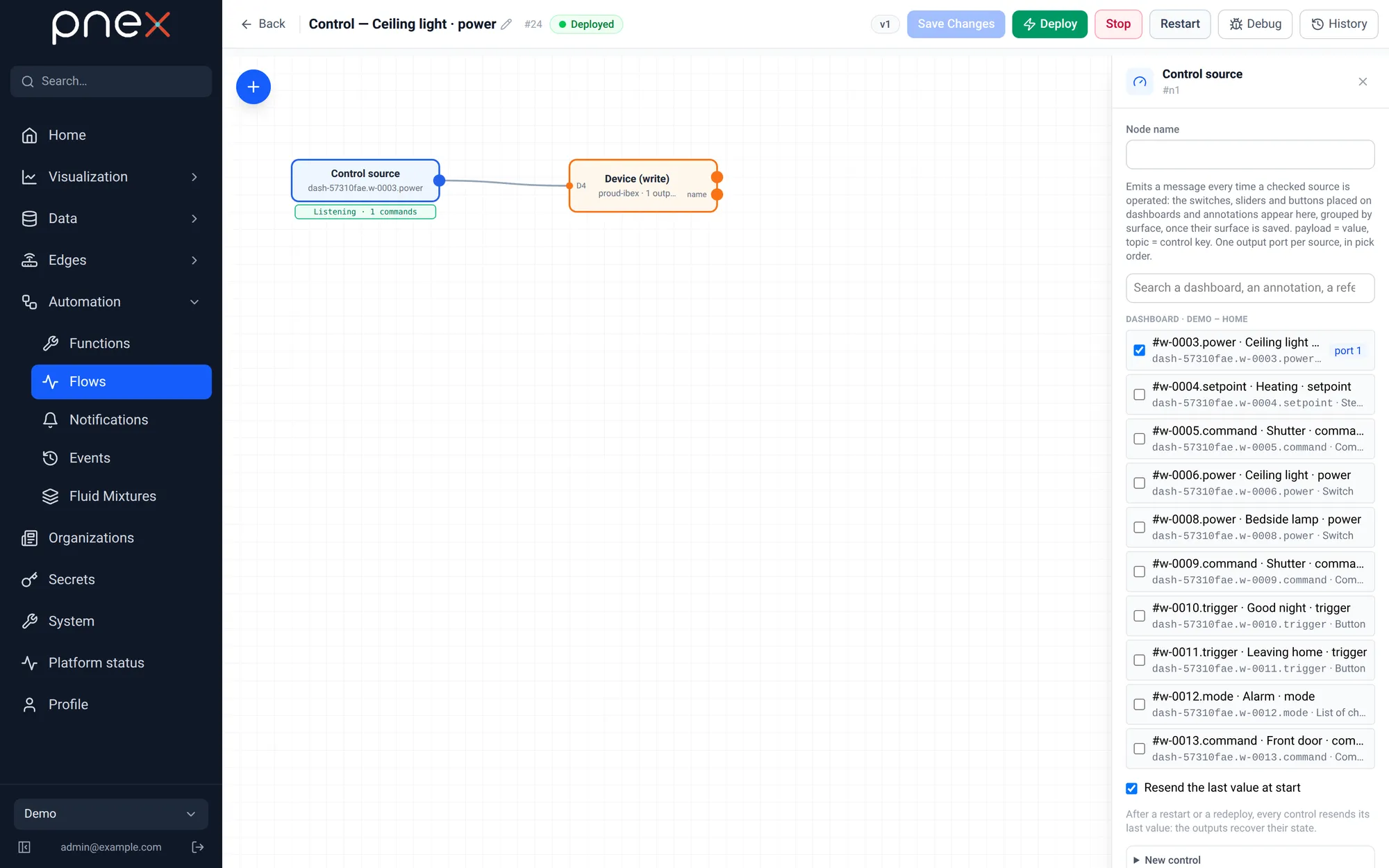
The Control source node (palette Triggers) has no input and one output per control you tick. Every message carries:
| Field | Content |
|---|---|
msg.payload | Always a number, ready for Device (write) |
msg.topic | The control key, e.g. dash-1a2b3c4d.w-0001.power |
msg.control.option | The option key of a choice or a command (heat, open…), or #rrggbb for a colour |
msg.control.by / via / ts_ms | Who pressed, from which surface, when |
Sources are listed grouped by surface (Dashboard · Living room, …), then Standalone controls; a search box filters them. Resend the last value at start replays the current value when the flow is deployed. A node with nothing ticked can be saved as a draft, but the deploy refuses it.
Create the flow from the dashboard
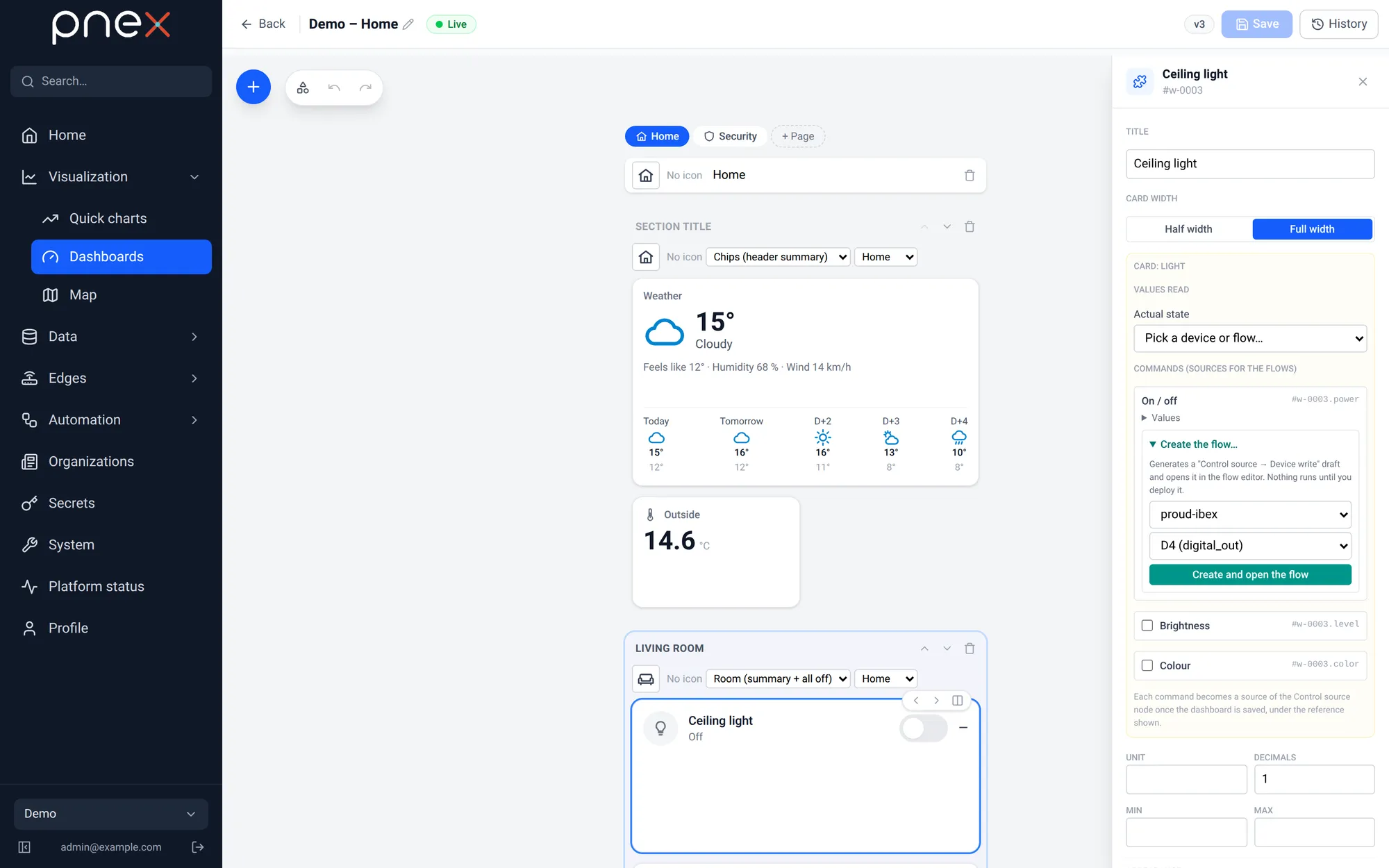
A control widget, and each command of a home card, has a Create the flow… section in the inspector: pick a Target device… and an Output pin… (digital or PWM outputs only), then Create and open the flow. PNeX creates a draft Control — <label> wired Control source → Device (write) and opens it in the flow editor. It is never deployed for you: review it, then deploy.
The Controls page
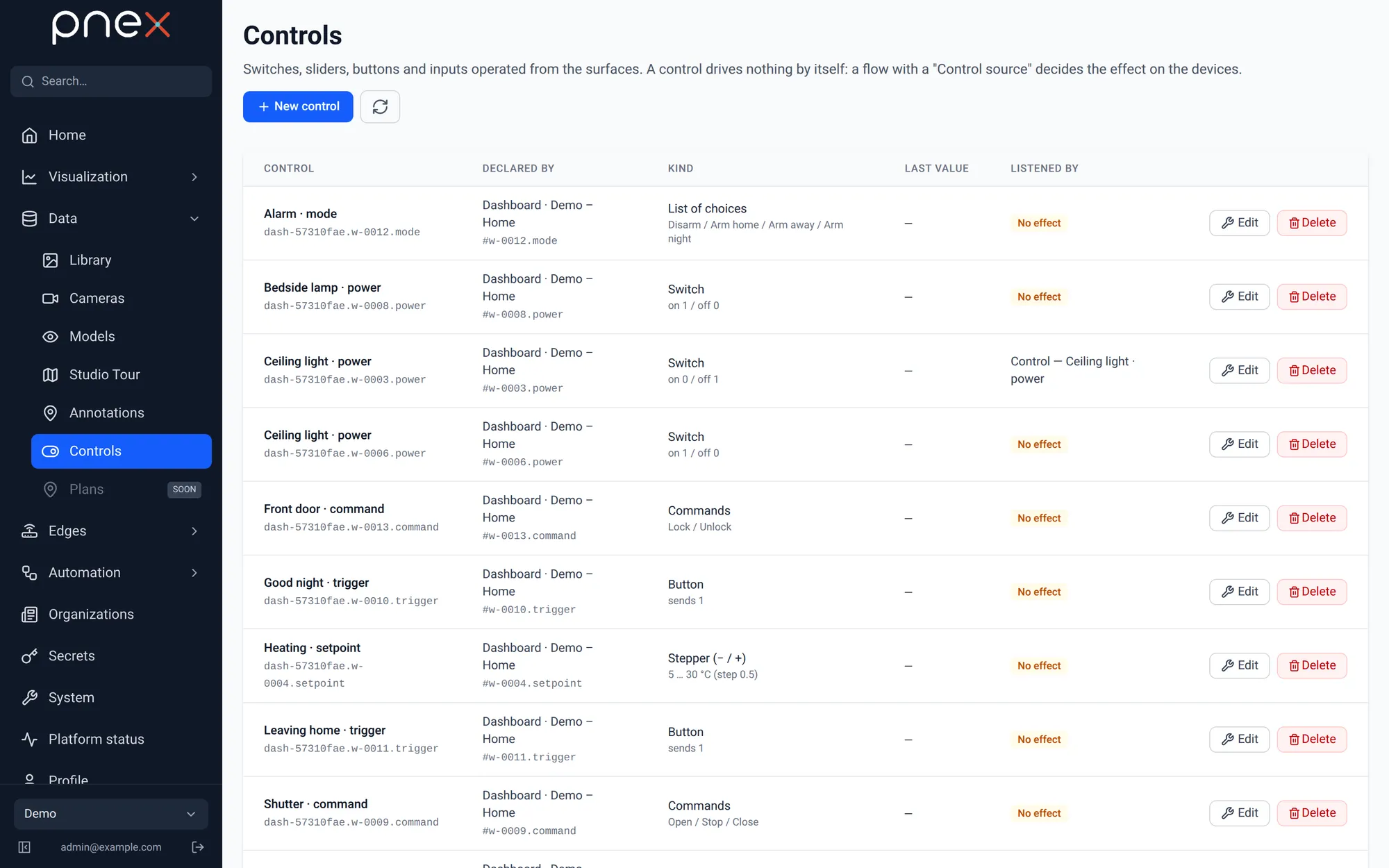
Data → Controls lists every control of the organization: who declared it (a dashboard, annotations, or standalone), its kind, its last value, and the flows listening to it. A control no deployed flow listens to carries a No effect badge. New control creates a standalone control, useful for a value shared by several surfaces. A control used by a deployed flow cannot be deleted.
The guarantee is enforced in the code: continuous-integration guards fail the build if a dashboard or annotation component ever references a device command, OTA or flash path.