

Firmware & OTA
Server-side builds, custom firmware in the browser, flashing and over-the-air updates
PNeX builds, flashes and updates firmware without leaving the platform.
Three device families
| Generic PneX | Custom (IDE) | Predefined (ready to use) | |
|---|---|---|---|
| What you do | Configure inputs and outputs from the UI | Write your own main.cpp in the in-app editor | Plug in a board whose compatibility PNeX guarantees |
| Code | None | Yours, versioned in PNeX | None: a dedicated firmware maintained by PNeX, fixed by the model — no firmware choice |
| Values | Pin states (digital, analog, PWM) | Your own metrics (temp, humidity…) and commands | Predefined functions (soil moisture, live video…) |
| Typical use | Relays, buttons, analog inputs | I2C/SPI/1-Wire sensors, local logic, computed values | A ready-made sensor or camera |
All three are compiled per device by the server, use the same encrypted transport and OTA, and are flashed the same way. A custom firmware runs on the board of a generic model: you pick its project when you provision the device. Computers and Raspberry Pis are not boards: they join as edge agents.
Build service
The server compiles firmware on demand per device: the PlatformIO sources are embedded in the server binary, secrets (Wi-Fi, server host, device token, encryption key, pinned certificate authority) are injected as build-time environment, and the result is stored as an artifact (PostgreSQL or S3-compatible storage). Supported SoCs: ESP8266, ESP32, ESP32-C3, ESP32-S3.
Builds run from a job queue on a dedicated builder; the API server carries no toolchain. The Wi-Fi password lives in the secrets vault: a queued build job only holds a reference to it, and the builder resolves the value when it compiles.
Every binary is unique to its device — there is no reusable generic image. Changing a Wi-Fi password therefore rebuilds nothing: devices already flashed keep the old credentials until you rebuild and reflash them, one by one.
Custom firmware
The Firmware page (Edges menu) is a C++ editor in the browser. You write a single
main.cpp against the PNeX library; the board comes from the device, and the
library is always the version shipped with your server — nothing to install.
The PNeX API
#include <Pnex.h>
#include <Adafruit_BME280.h>

PnexDevice pnex;
Adafruit_BME280 bme;

void setup() {
    Wire.begin(21, 22);
    bme.begin(0x76);

    // Announced to the server; each metric becomes its own telemetry series.
    pnex.addMetric("temp", "°C");
    pnex.addMetric("humidity", "%");

    // Callable from PNeX; the return value becomes the acknowledgement.
    pnex.onCommand("calibrate", [](JsonVariantConst args) {
        return true;
    });

    pnex.begin();
}

unsigned long last = 0;

void loop() {
    pnex.loop();  // every iteration: heartbeat, OTA, commands
    if (millis() - last >= 10000) {
        last = millis();
        pnex.publish("temp", bme.readTemperature());
        pnex.publish("humidity", bme.readHumidity());
    }
}
addMetric(id, unit)— declares a metric beforebegin()(up to 16). The server stores only the metrics the firmware announced; anything else is dropped.publish(id, value)— sends a value (float, integer,boolor short string). It lands in the device's telemetry like any other measurement, ready for flows, dashboards and alerts.onCommand(name, callback)— declares a command (up to 8). The firmware editor lists the commands each device announced and can send them; a command the firmware does not know is answeredunknown_command. A flow node for custom commands is planned.
The + PneX API menu of the editor inserts these calls with their documentation.
Call pnex.loop() on every iteration and never block in a long delay(): past the
heartbeat timeout the server marks the device offline and its outputs fall back to
their safe state. Use the non-blocking millis() pattern shown above.
Wi-Fi credentials, device token and encryption key never appear in your sketch: the builder injects them for the target device.
Libraries
Extra libraries come from a curated catalog with pinned versions: BME280, BMP280, SHT3x, AHT20, BH1750, INA219, ADS1x15, OneWire, DS18B20, DHT, NeoPixel, ESP32Servo, SSD1306 and Adafruit Unified Sensor. Add them from the + Lib menu; the server refuses any library outside the catalog. Network clients (MQTT, cloud HTTP SDKs…) are left out on purpose: transport is PNeX's job.
Revisions
Every save creates an immutable revision with its author and message; saving identical content creates nothing. The history lets you compare and restore. Each build records the revision it compiled, so you always know which code runs on which device — and pushing an older build over the air is a rollback.
Verify, then deploy
- Verify compiles your code without any real secret and keeps no artifact.
Compiler errors are mapped onto the lines of your
main.cpp; errors raised inside a library are listed with their file. - Provisioning: in the device wizard, the Model step offers the firmware projects compatible with the board's chip. One project can serve many devices.
- Rebuild compiles the project's latest revision for that device; then flash it over USB or push it over the air.
A project cannot be deleted while devices use it.
Build-time safety
Compiling C++ means running user-controlled tooling on the builder, so custom builds are fenced:
platformio.iniis generated by the server and never editable: it carries the secrets and the library policy, and build scripts declared there would run arbitrary code.main.cppis checked before compiling: no absolute or..includes, no#embed, noincbin— nothing that could pull a builder file into the binary you download. Size is capped at 256 KB.- Only catalog libraries are accepted.
- An optional bubblewrap sandbox runs the compiler without network, in its own process namespace, with the host read-only except the job workspace and an empty home directory.
Custom firmware is disabled by default (PNEX_FIRMWARE_CUSTOM_ENABLED). Turn on
the sandbox (PNEX_FIRMWARE_SANDBOX=bwrap) before opening it to people you do not
fully trust; without it, keep the feature for single-user installs. Catalog
libraries are still downloaded at build time today — a prefetched, fully offline
library store is planned.
USB flashing
One-click flashing, with no toolchain on your machine:
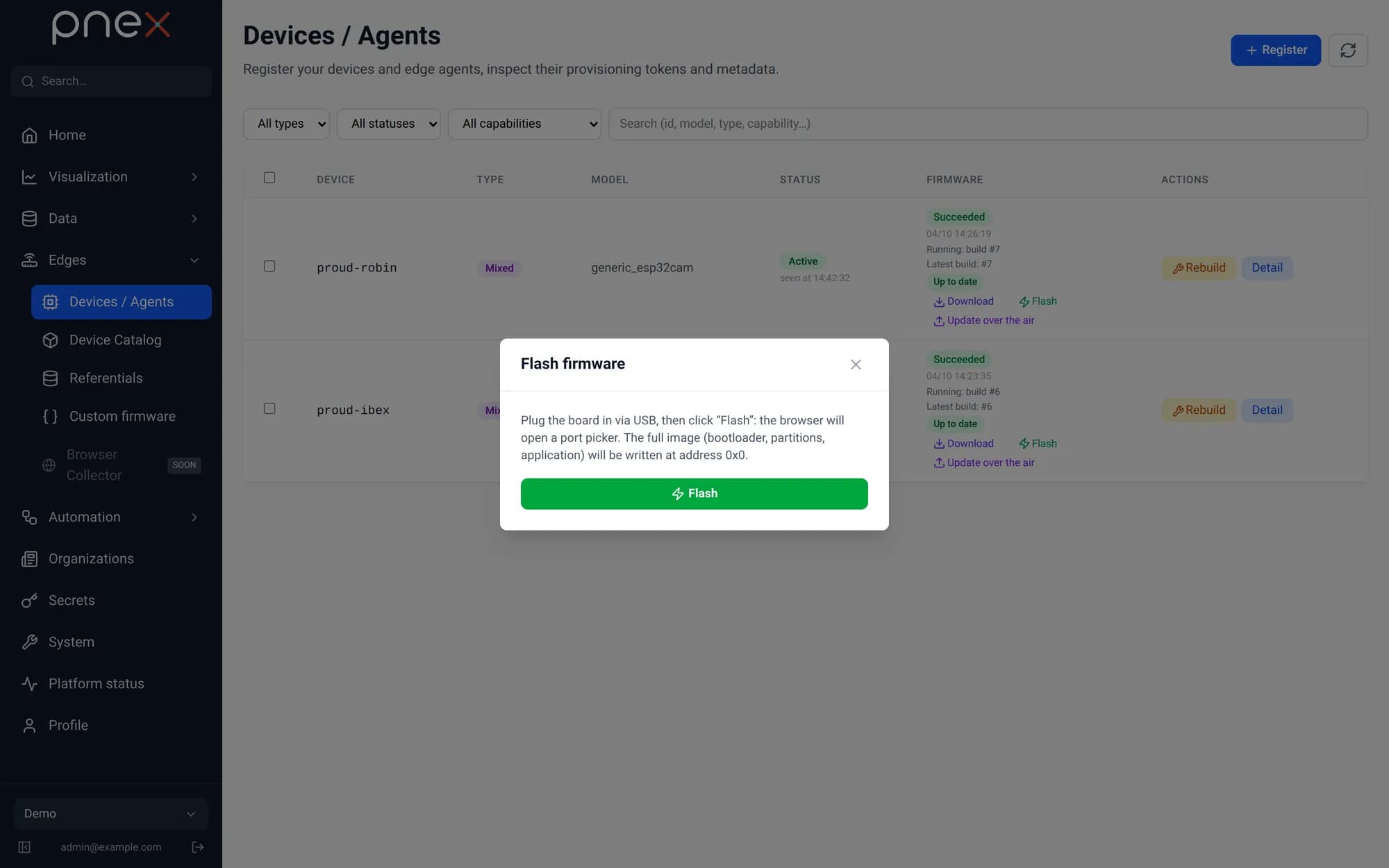
- Web app (Chrome, Edge): Web Serial with esptool-js. The browser picks the serial port with a user gesture, downloads the merged binary from the artifact store and flashes the board.
- Desktop app (Linux, Windows): an embedded, version-pinned esptool flashes the board; the serial port is detected automatically.
- Android app: no USB flashing — flash from a computer, then update over the air.
OTA updates
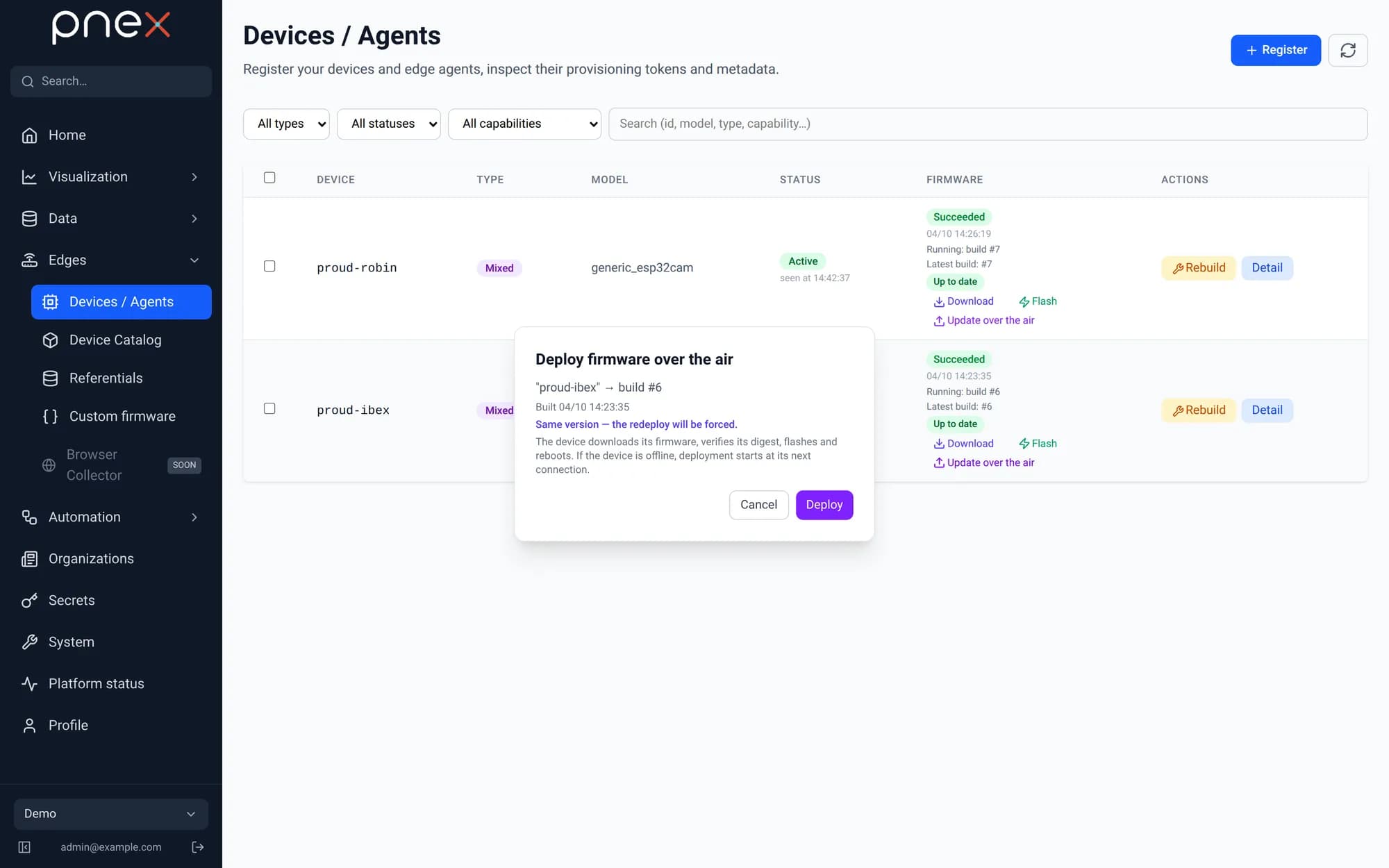
Firmware updates are a desired state pushed to online devices over WebSocket, or picked up at the next announcement. The device downloads the image over HTTPS, authenticated by its device token and with the certificate authority pinned. It hashes the image while streaming and checks the SHA-256 before switching partitions: a mismatch aborts and the old firmware keeps running. The update counts as successful only once the device reboots and announces the new version. Guards refuse duplicate or in-progress assignments and oversize payloads on constrained SoCs.
Screens
The firmware library supports SSD1306 OLED and ST7735 TFT screens with a status bar,
connection timeline and change-only redraws — and a pnex-display flow node pipes
values to them.