

Devices
Device registry, boards and pinout editor
Devices are org-scoped records with identity, tokens, metadata and a board profile.
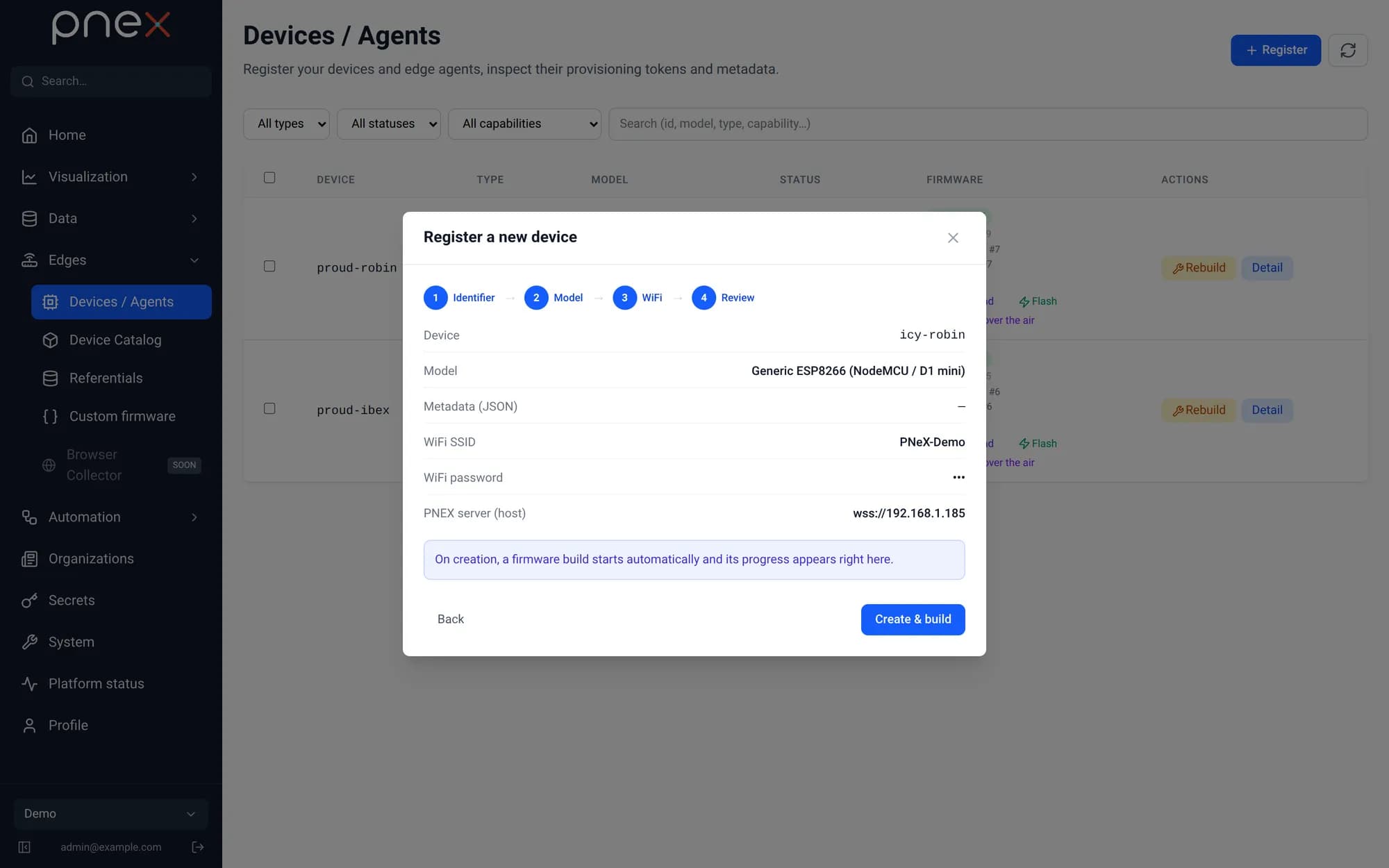
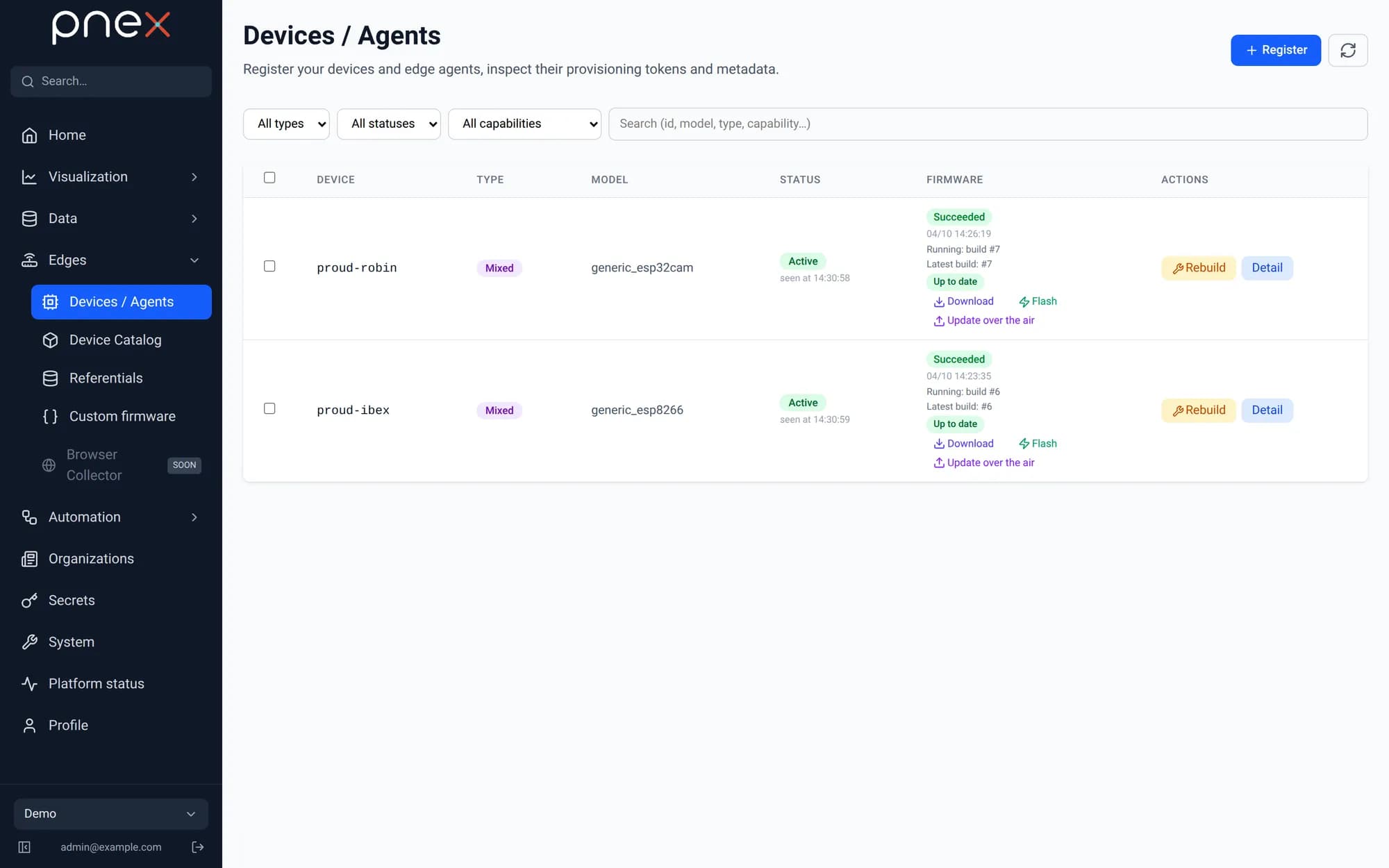
Catalog and wizard
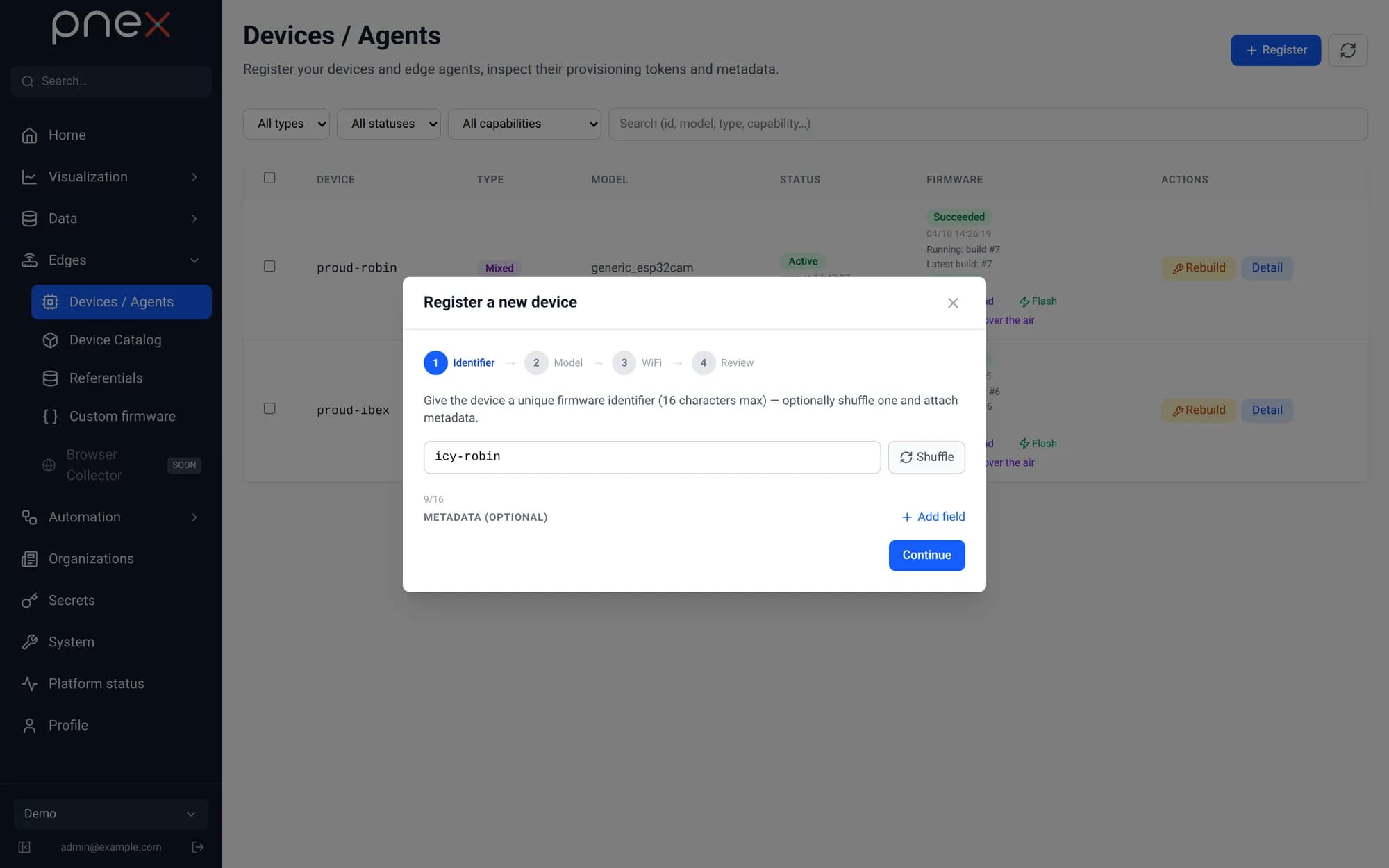
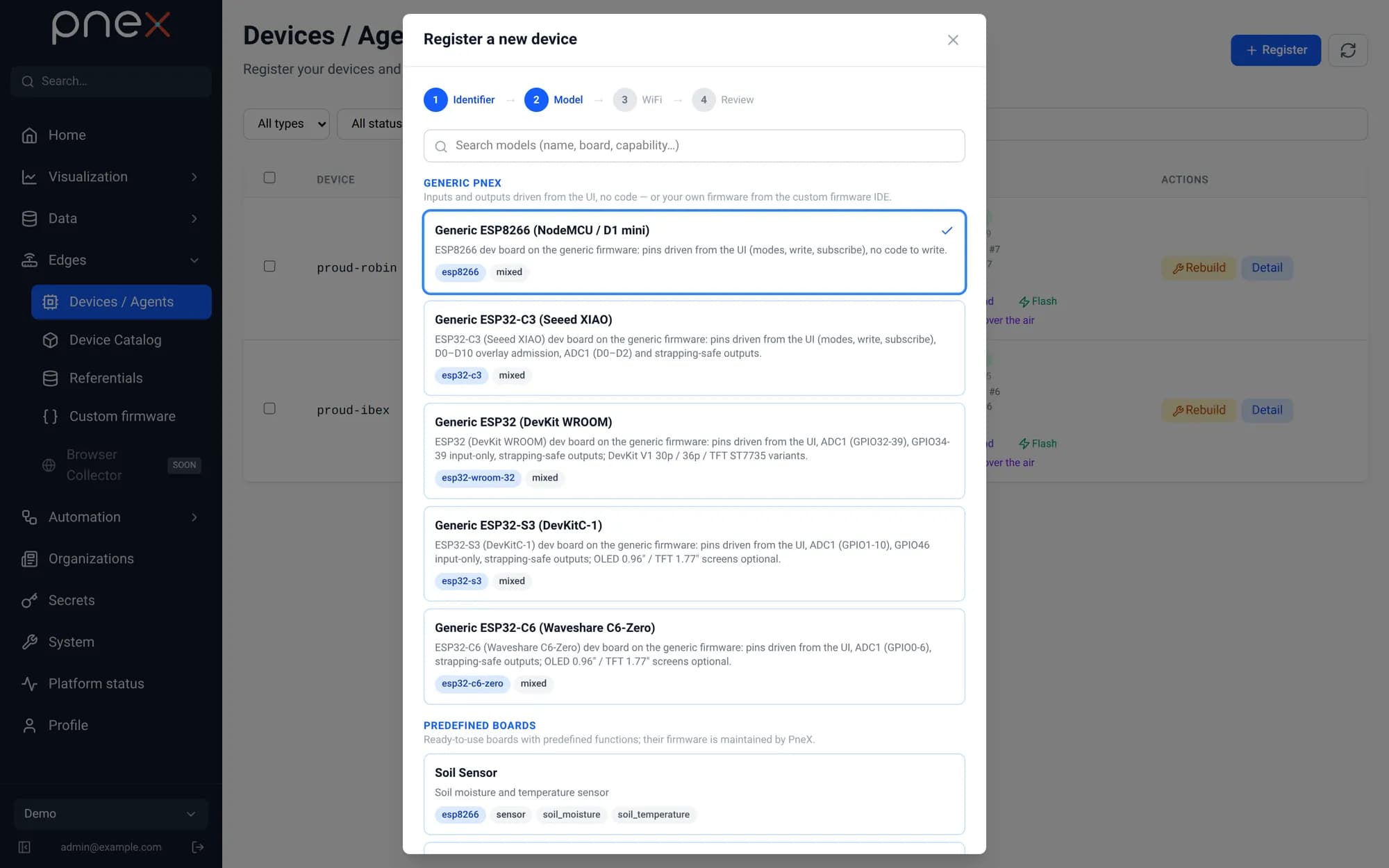
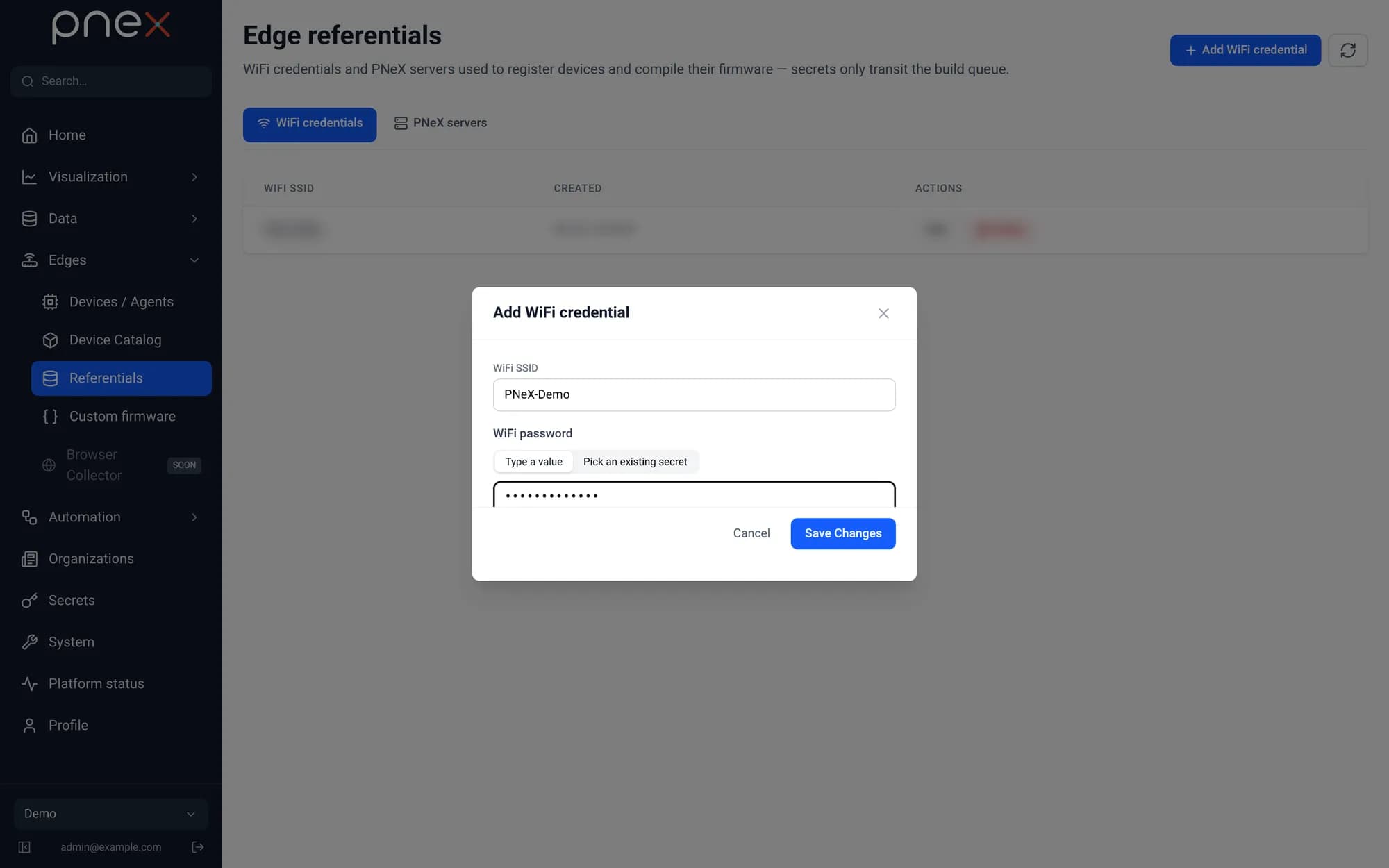
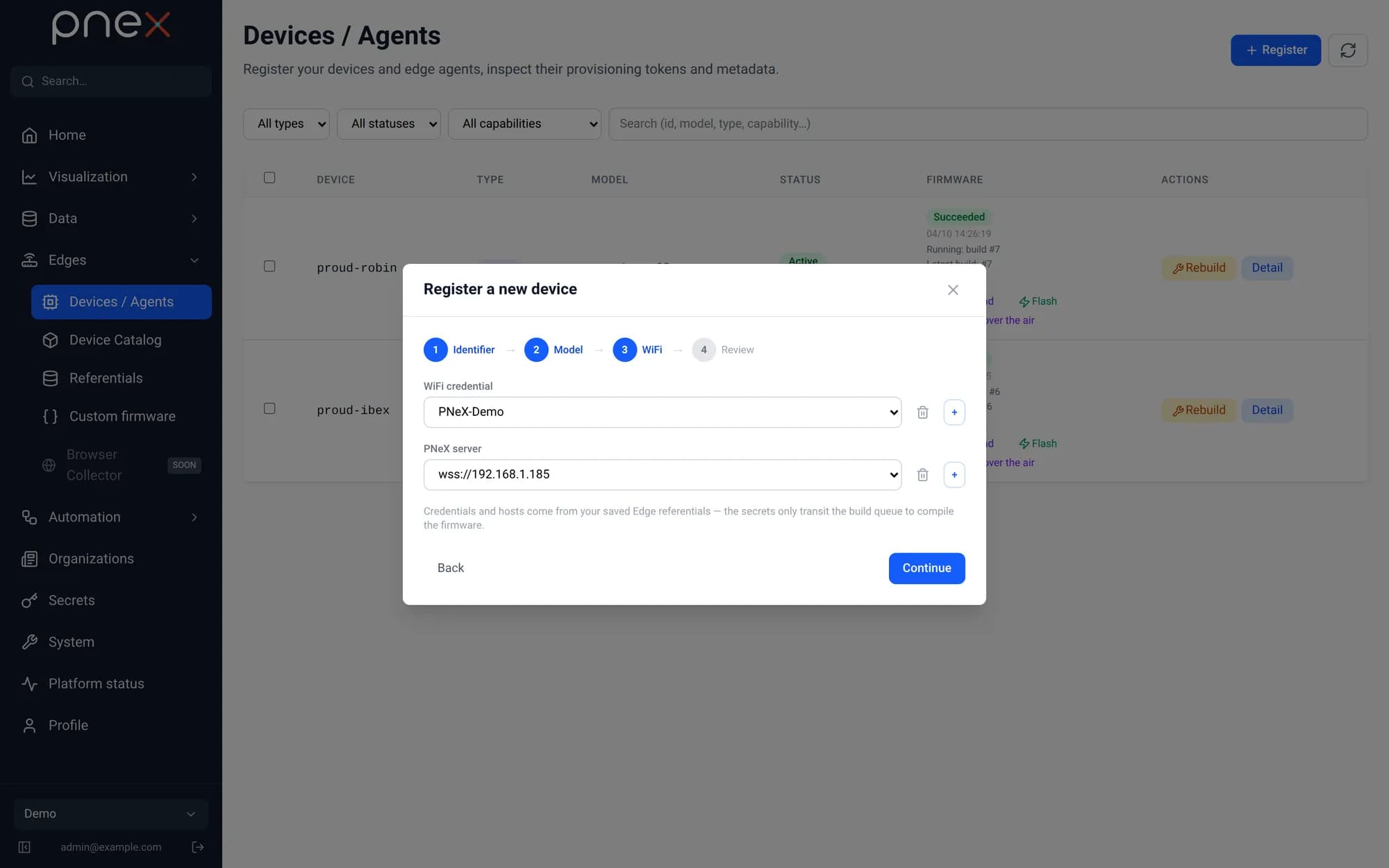
A global catalog of predefined devices and capabilities lets you register a device in a wizard: identifier, metadata, Wi-Fi credentials, auto-build of the firmware on register.
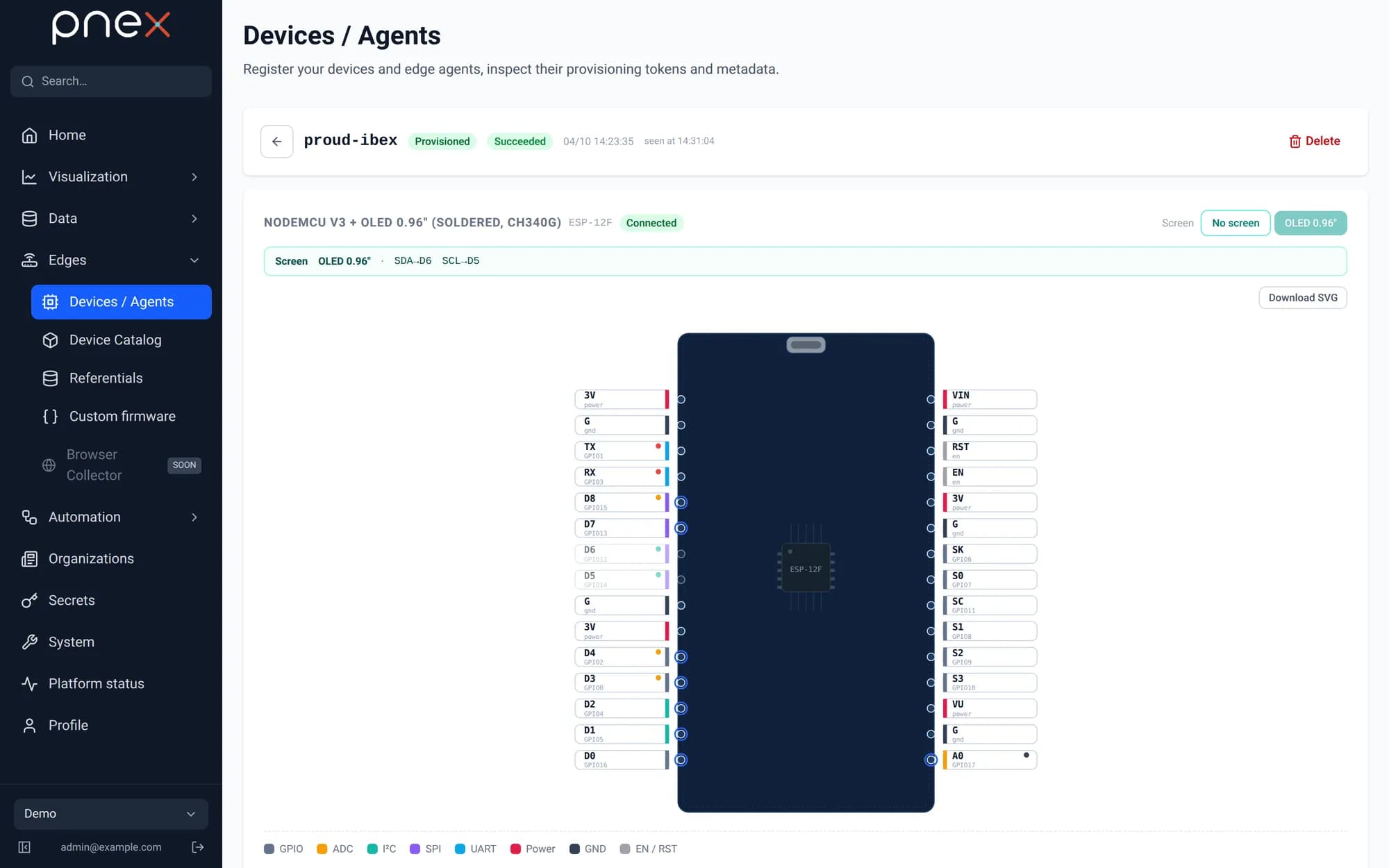
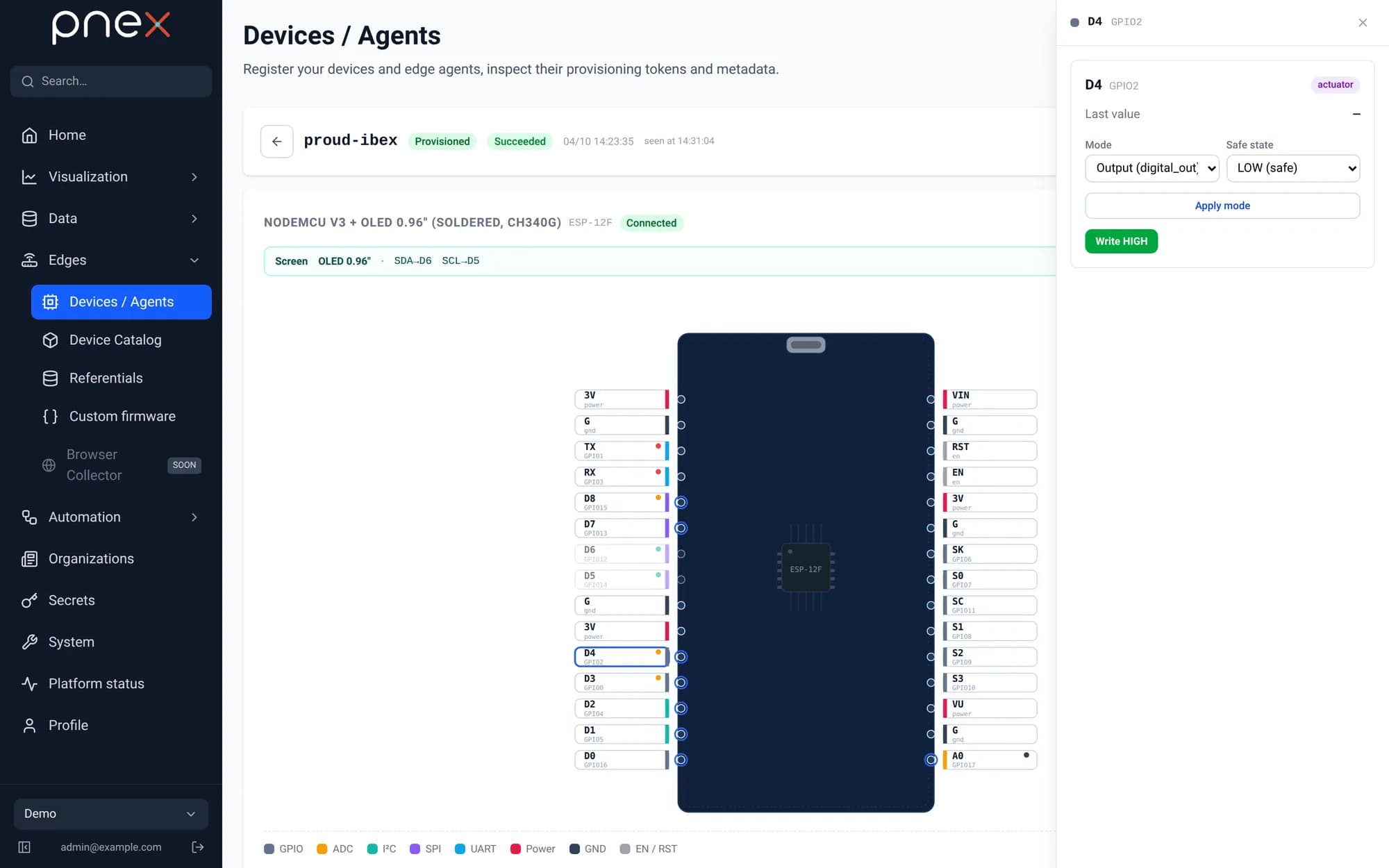
Board profiles and the pinout editor
Each device references a board profile (MCU, chip capabilities, warnings, safe states). The pinout editor renders the board as an interactive SVG: per-pin mode, safe state, subscribe and write controls, PWM duty — a faithful wiring companion for the physical board (USB connector drawn at the top by convention).
Tokens and transport
Each device gets a URL-safe token and a ChaCha20 key. The device connects to the
/ws/device WebSocket channel, announces itself, and exchanges ChaCha20-framed
messages: announcement, provision acknowledgment, set-mode, write, subscribe. A
watchdog evicts zombie connections; desired state is re-pushed on reconnect.
Who writes a pin
Only you write a pin: by hand from the pinout editor, or through a flow you deployed
(the pnex-device-write node). Each output pin has a single write source — a pin
driven by a flow cannot be written from elsewhere. The server and the AI assistant
never write on their own initiative, and critical regulation belongs on the device
itself (see Flows).
Dashboards follow the same rule: a switch on a dashboard or on a phone never writes a pin. It writes a control, and the flow listening to it writes the pin — see the home automation tutorial.