
Home cards
Ready-made cards for lights, heating, shutters, sensors, energy and weather
Home cards are composite cards for mobile dashboards: one card shows what a thing is doing and offers its commands. A Light card reads the actual state of the lamp and offers an on/off switch, a brightness slider and a colour picker; a Thermostat reads the room temperature and offers a setpoint stepper and a mode list.
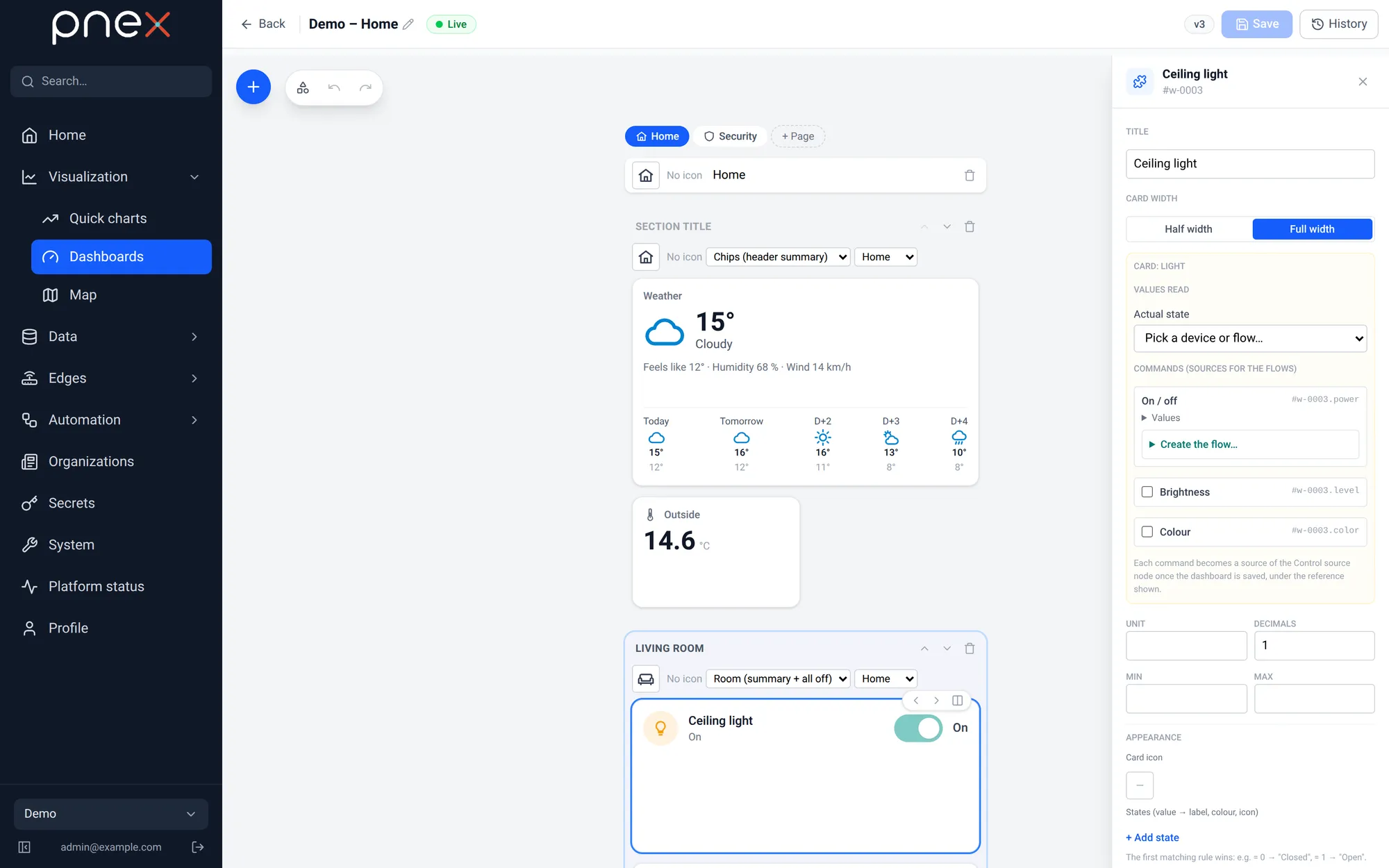
Each card has roles. Values read roles take a source (a device metric, a flow
metric or a memory key). Commands roles become controls when the
dashboard is saved, under a reference such as #w-0003.setpoint, ready to be ticked in
a Control source node. Required roles are marked; optional ones are switched on in
the inspector.
Catalog
| Card | Commands (sources for the flows) | Values read |
|---|---|---|
| Light | On / off*, Brightness, Colour | Actual state |
| Thermostat | Setpoint* (5–30 °C, step 0.5), Mode (Off / Heat / Cool / Auto) | Measured temperature, Humidity |
| Fan | On / off*, Speed (Low / Medium / High) | Actual state |
| Shutter / blind | Command* (Open / Stop / Close), Position | Position |
| Gate / garage | Command* (Open / Close, confirmed) | Actual state |
| Lock | Command* (Lock / Unlock, confirmed) | Actual state |
| Alarm | Mode* (Disarm / Arm home / Arm away / Arm night, confirmed) | Actual state |
| Scene | Trigger* | — |
| Watering | On / off*, Duration (1–240 min) | Actual state, Soil moisture |
| Appliance | On / off | Status*, Progress (%), Remaining time (min) |
| Door, window, detector | — | Actual state* |
| Temperature & humidity | — | Temperature*, Humidity |
| Air quality | — | CO₂* (zones at 800 / 1200 ppm), VOC, PM2.5 |
| Live power | — | Power*, with a mini chart |
| Meter (consumption) | — | Energy counter* |
| Energy flow | — | Grid power*, Solar production, Battery power, Battery charge (%), Home consumption |
| Weather | — | Two memory keys, see below |
| Clock | — | — |
* required role.
Door, window, detector has a Sensor type (Door, Window, Motion, Presence,
Smoke, Water leak, Carbon monoxide, Generic) and an Active from value threshold
(0.5 by default), so a 0/1 contact or an analog sensor both work.
The palette files them under Home (Light, Thermostat, Shutter, Fan, Gate, Lock, Alarm, Scene, Watering, Appliance), Sensors (Door/window/detector, Temperature & humidity, Air quality, Weather, Clock) and Energy (Live power, Meter, Energy flow).
Driving the commands
A card never drives a device itself. For each command role, Create the flow… in the inspector drafts a flow Control source → Device (write) for the device and pin you pick; for anything richer (a scene switching six lights, a thermostat regulating a relay) build the flow yourself with a Control source node, see Controls and the home automation tutorial.
A room section adds an All off button: it writes off to every On / off command of the room's lights, fans and switches — the flows listening to them do the rest.
Weather
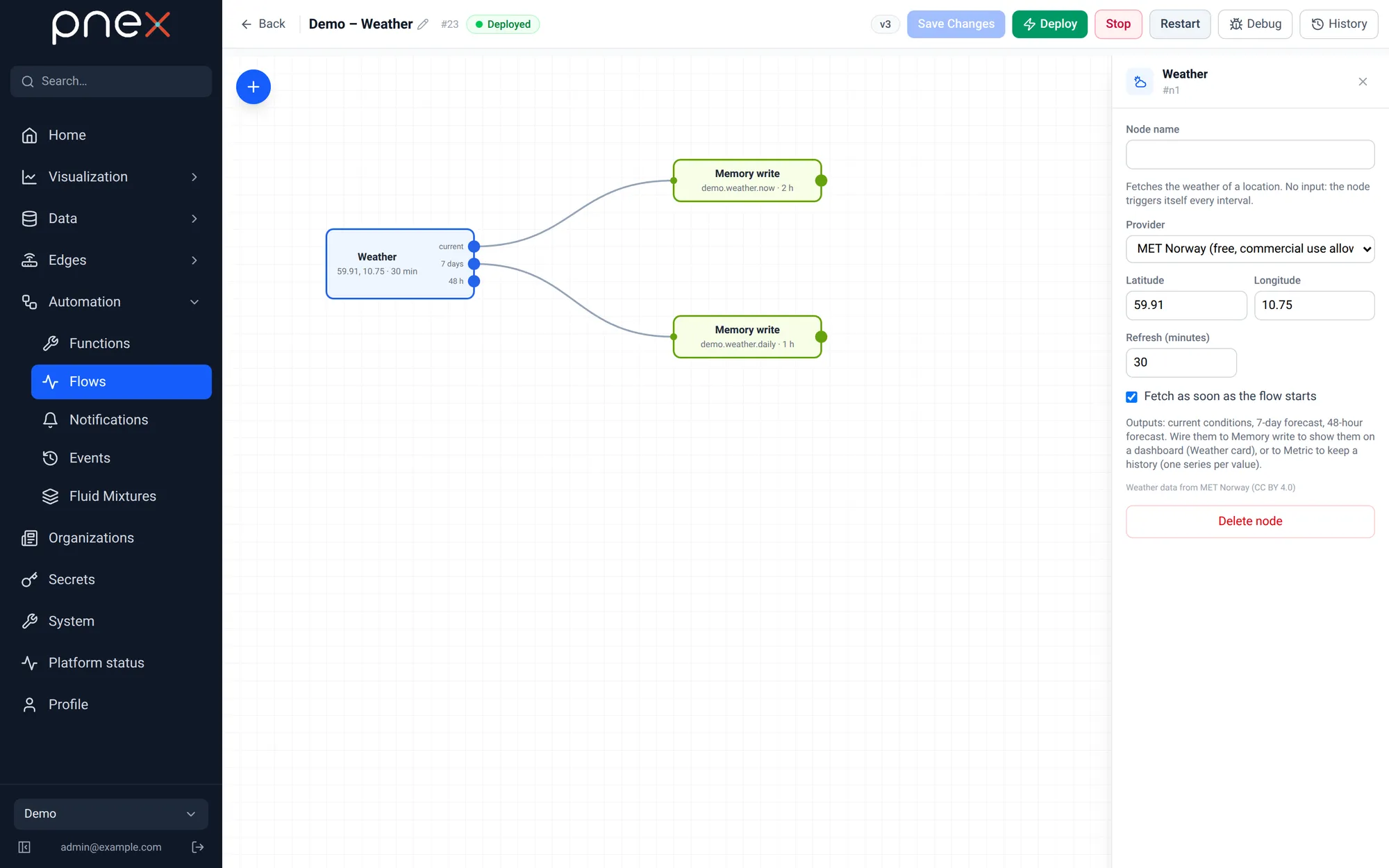
The Weather flow node (palette Triggers) fetches the forecast for a latitude and longitude, with no input and no API key:
- Provider: MET Norway (free, commercial use allowed — the default) or Open-Meteo (non-commercial use).
- Refresh (minutes) between 10 and 1440, and Fetch as soon as the flow starts.
- Three outputs: current conditions, 7 days, 48 h, each a flat object
(
temperature,d0_t_min,d0_t_max… per day,h0_temperature… per hour).
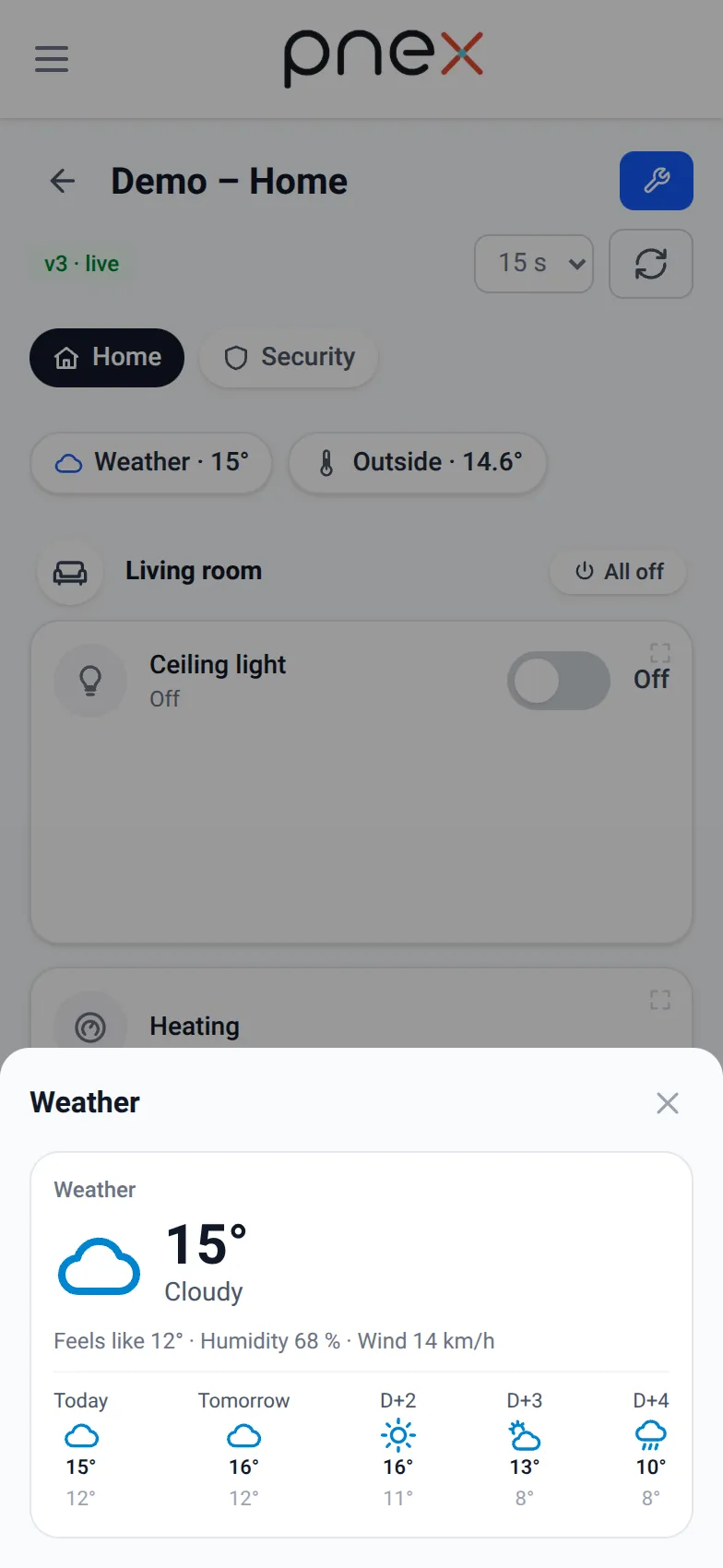
Wire current and 7 days to two Memory write nodes, then pick those keys in the Weather card (Current conditions key, 7-day forecast key). The card shows the temperature, the condition, Feels like, the wind and five days ahead. Wire an output to Metric as well to keep a history: each numeric field becomes its own series.