
Flows
Visual automation with a full-Rust Node-RED-style runtime
PNeX automates data pipelines and reactions with flows: visual graphs you edit by dragging nodes on a canvas and wiring them together — the Node-RED model, but the entire runtime is Rust and supervised by the platform server.
The editor
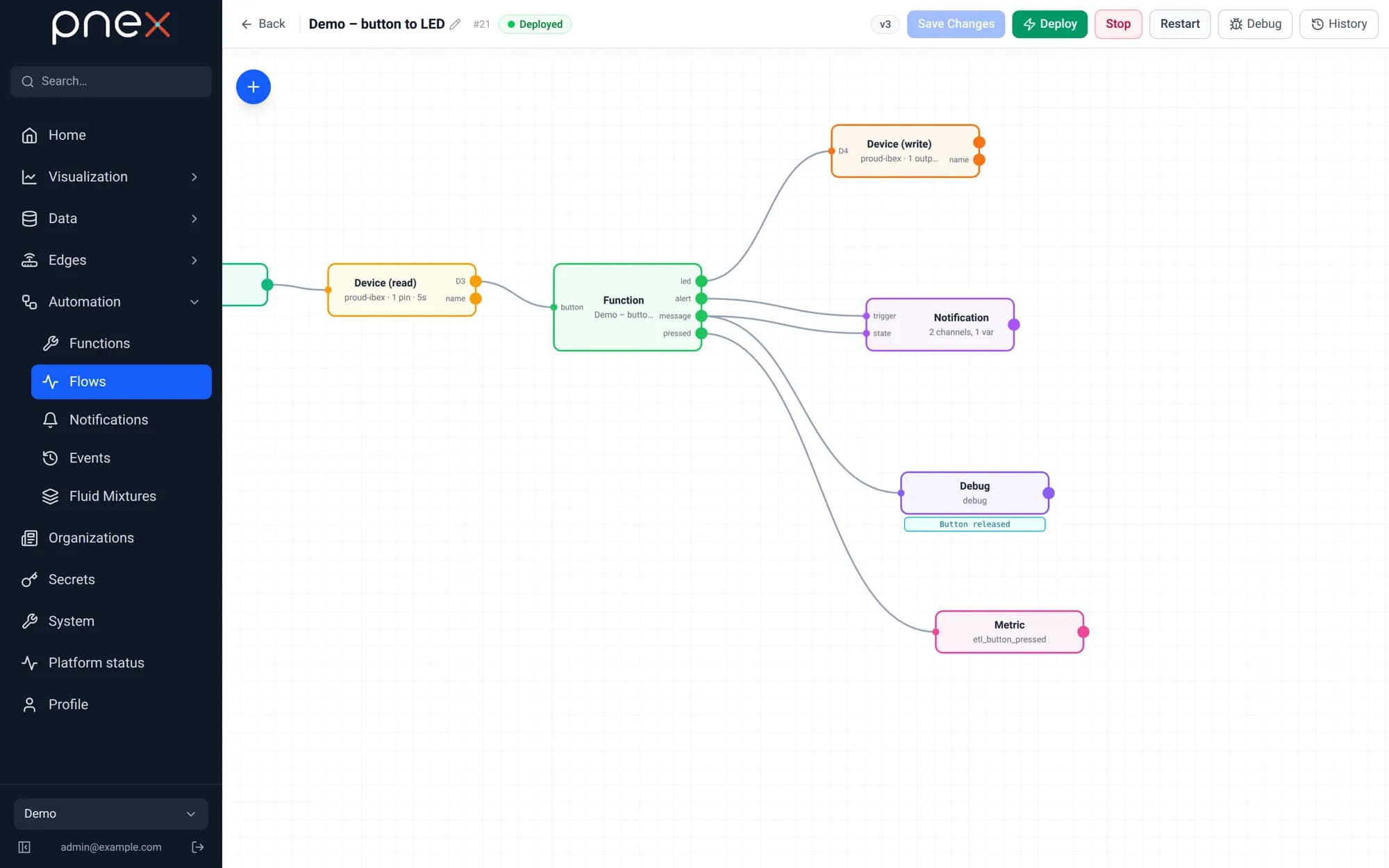
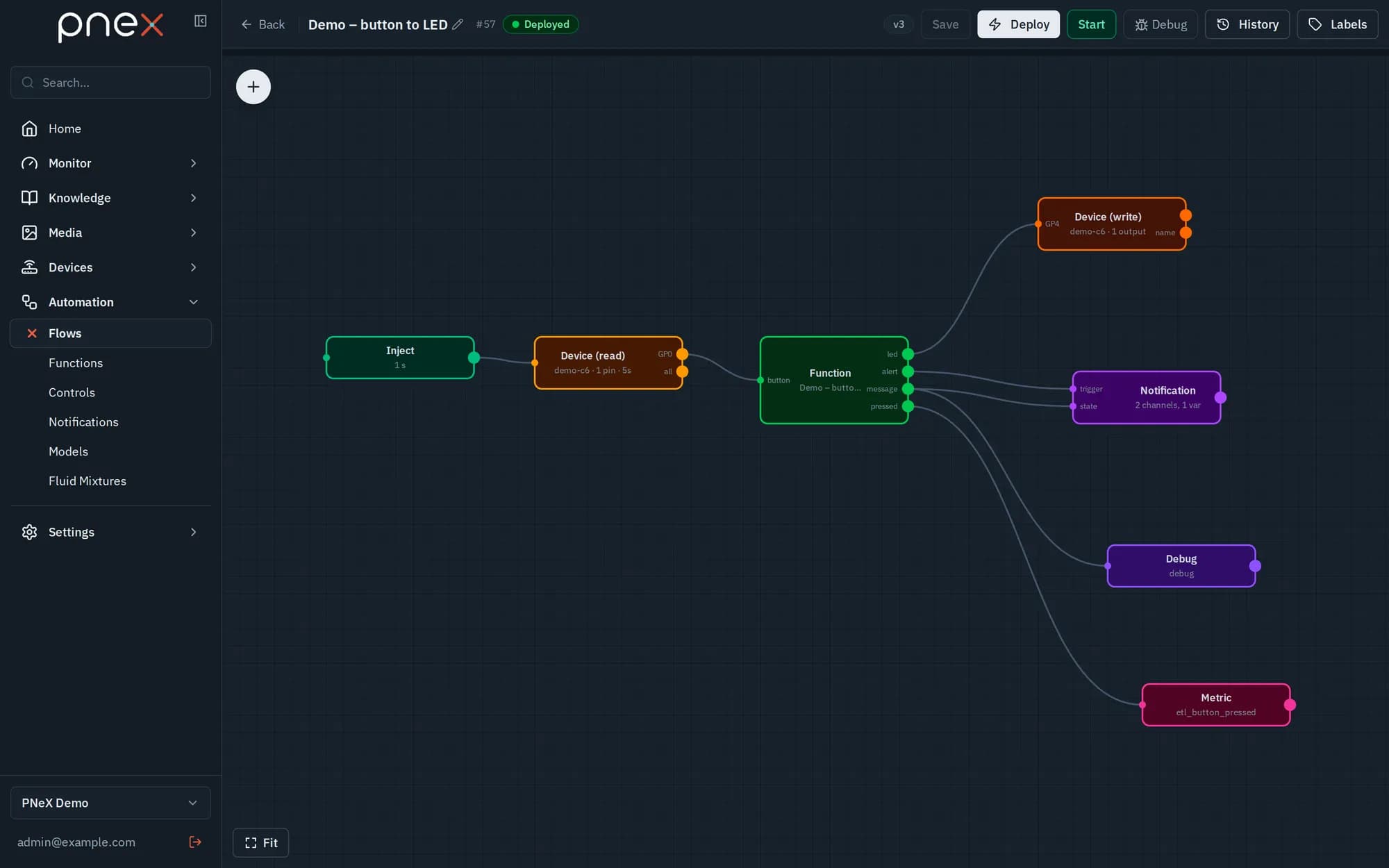
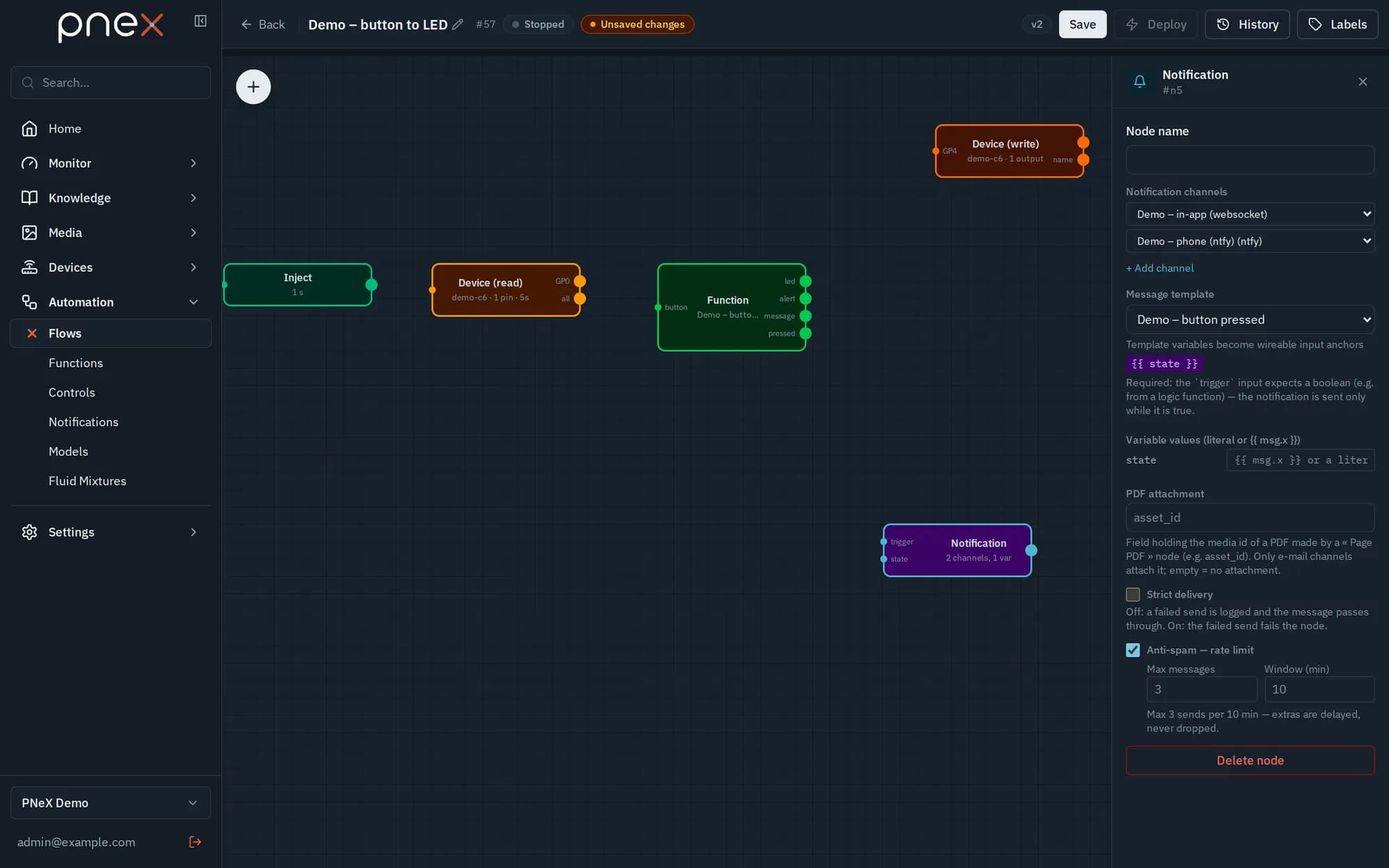
The flow editor is drawn with the web app itself — a pure WebAssembly canvas with drag-and-drop, pan/zoom, per-node inspector, local validation before save, and append-only versioning with one-click rollback. Every save uses optimistic concurrency: a conflicting edit returns 409 and offers Reload from server or Overwrite with my version.
Flows live under Automation › Flows. Save stores a new version but never
deploys it; Deploy runs the saved version, Stop / Start pause and resume
the deployed one, and History loads an older version or deploys it again
(rollback). The status chip "Deployed · to redeploy" means the running version is
older than the saved one. The Labels button of the toolbar tags the flow
(site:greenhouse…), like devices, dashboards and media.
The runtime
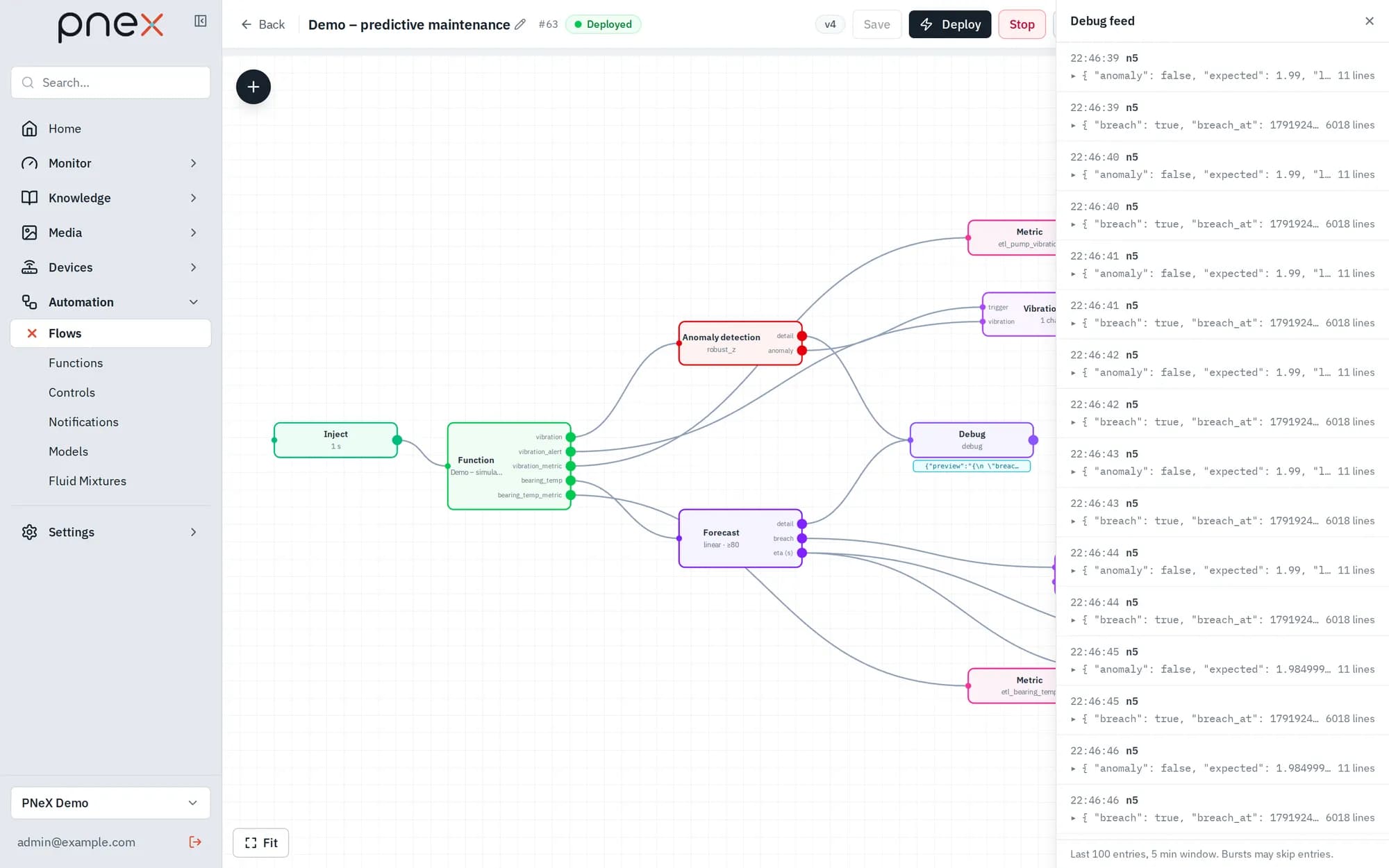
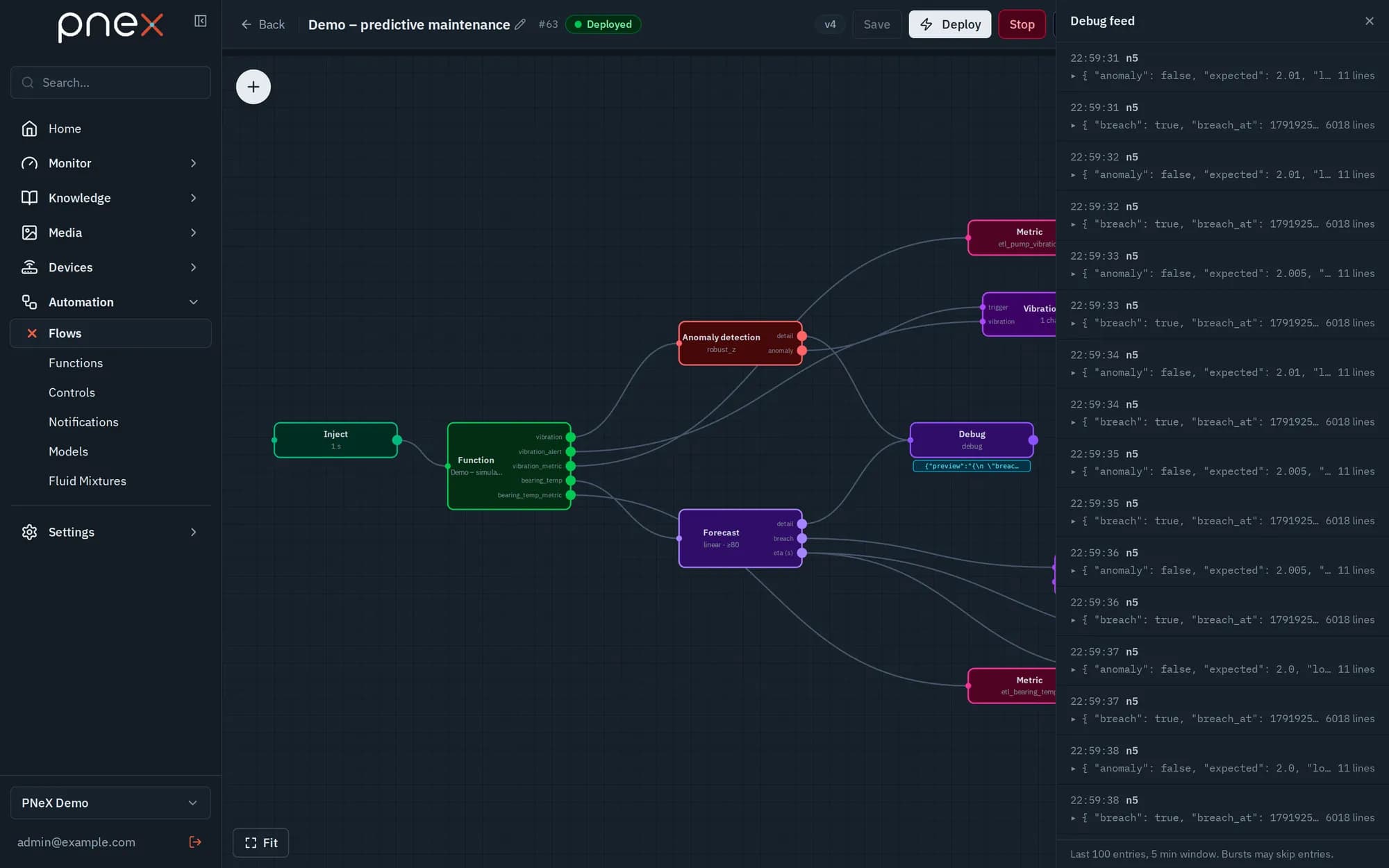
Deploying a flow compiles the typed graph to the runtime's format and hot-reloads a headless Rust binary (vendored EdgeLink) supervised by the server, with automatic restart and backoff. The deployed version is what runs; the editor state is not.
Node catalog
Click + (Add a node) in the editor to open the palette. Nodes are grouped by category, in the order of a flow (source, processing, output), and named here by their palette label.
Triggers
| Node | Purpose |
|---|---|
| Inject | Trigger: Interval (s), Cron (5 or 6 fields), or a single shot after an Initial delay (s) |
| Control source | Emits when a switch, slider or button of a dashboard or annotation is operated — see Controls |
| Action trigger | Emits when a user runs an action of the ontology from an object page |
| Camera source | One message per frame of a camera device or of the video track of a stream (a reference, never the bytes) — see Cameras & Vision |
| Media source | One message per transcribed segment of the listed audio streams — see Audio streams |
| Weather | Current conditions and forecasts of a location (MET Norway or Open-Meteo) — see Home cards |
Devices
| Node | Purpose |
|---|---|
| Device (read) | Latest pin values of a device, see below |
| Device (write) | Digital/PWM output pins and custom firmware commands, see below |
| Display | Passthrough probe shown live under the node in the editor |
Control
| Node | Purpose |
|---|---|
| TT heating control / TT cooling control / PID control | Regulation cards cast onto autonomous devices — see below |
Data & math
| Node | Purpose |
|---|---|
| Json Values | Emit a fixed or random payload |
| Calc | Evaluate expressions over payload keys |
| JSON Split / Merge to JSON | Structural split and merge of JSON payloads with named ports |
| Topic classifier | Tags a text with the topics of a versioned taxonomy — see Audio streams |
| CoolProp | Thermophysical properties of fluids and mixtures, in-process — see Thermo |
Code
| Node | Purpose |
|---|---|
| Function | Run a versioned user function (JavaScript or Starlark) — see Functions |
| Raw Node-RED | Escape hatch for an unmodelled Node-RED builtin, see below |
Storage & series
| Node | Purpose |
|---|---|
| Metric | Write the result as a telemetry metric |
| Memory write / Memory read | Shared memory of the organization, see below |
| Video recording | Record camera frames as MJPEG-AVI segments — see Cameras & Vision |
| Time range writer | Store the message as a time range (a show, a shift, a batch) of a stream — see Audio streams |
| Write a page | Write Markdown into a page of the organization and freeze a named version |
| Page PDF | Render a page version as a PDF stored in the media library; an AI-written version waits for a person's approval first |
| Event log | Store the payload as a searchable JSON event — see Events |
AI & predictive
| Node | Purpose |
|---|---|
| Object detection | Object detection with a registered ONNX model, optional detection layer and review queue for the Vision Lab |
| Object tracking / Image zones | Stable ids for detected objects, enter/exit events on zones drawn over the image — see Cameras & Vision |
| Image description / Video description | Frame captions and time-stamped scene descriptions written by the organization's own model — see Cameras & Vision |
| AI text | Write a text (report, summary, classification) with the organization's LLM from an instruction and the incoming data |
| Text decision | Answer typed questions about a text with a probability per answer, without generating text; the model runs on the server |
| Anomaly detection | Anomaly detection per series (robust z-score, forecast band, regime change) — see Predictive maintenance |
| Forecast | Forecast a series and predict when it crosses a threshold |
Integrations
| Node | Purpose |
|---|---|
| Notification | Send a notification to channels from a template, optionally with a PDF attached — see Notifications |
| HTTP fetch | HTTP client with auth and proxy options, see below |
Debug
| Node | Purpose |
|---|---|
| Debug | Capture messages to the debug feed |
AI nodes (Image description, Video description, AI text) run on the LLM provider the organization configured; PNeX supplies none. Their output is marked as AI-generated: store it, show it, or put it in front of a person, never let it drive a device. A typical report chain: Inject (cron) → data → AI text → Write a page → Page PDF → Notification.
Reading and writing a device
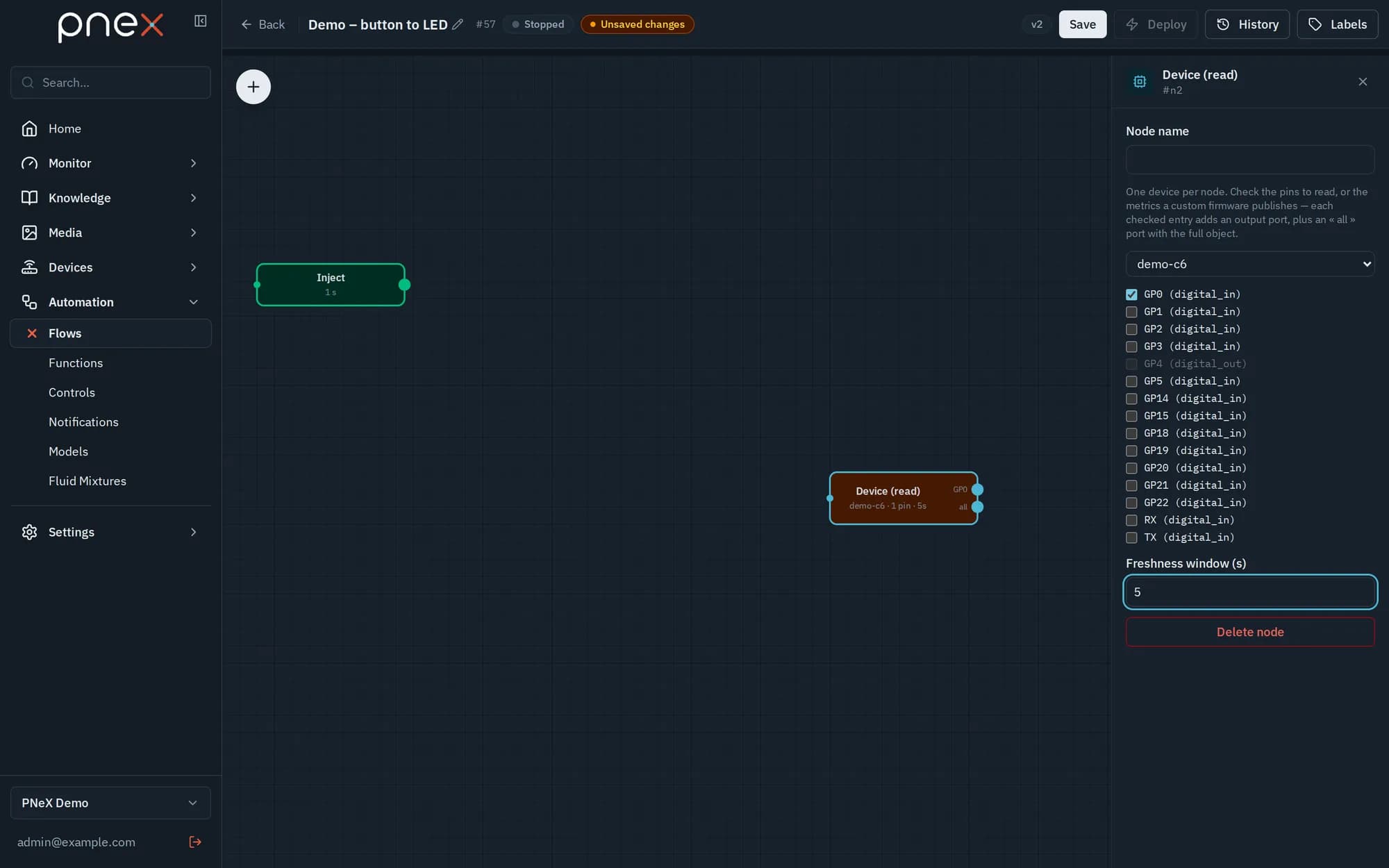
- Device (read) reads one device per node: one output port per checked pin, in
order, plus a last "all" port carrying every pin in one object (handy for a
Calc combining several pins). You can also check the metrics a custom firmware
publishes (
temperature…). The Freshness window (s) ranges from 1 to 3600 s (60 by default): without recent enough data the payload is{}, never an invented zero. The live cache is read first. - Device (write) writes the outputs of one device (digital
1/0, PWM 0–100) and also sends the Firmware commands a custom firmware announces (pnex.onCommand). The value wired on a command row reaches the firmware asargs["value"]; a colour control, a list of choices or a setpoint can only target a command. An output pin has one writer (a pin already written by another deployed flow is refused at deploy); commands have no such rule.
Shared memory
Memory write keeps the payload under a key (cycle.p1…) with a lifetime (1 h by
default); the value disappears unless it is rewritten. Memory read reads those keys
back from any flow of the organization (one port per key, optional maximum age), and
dashboards display their numeric fields (source "Memory"). It is a live value with no
history: add a Metric to keep a curve.
HTTP fetch
The response replaces msg.payload (parsed when the content type is JSON) and sets
msg.statusCode. Two server-side protections:
- Egress guard: targets pointing at the server or its internal services are refused — loopback, link-local, cloud metadata, single-word host names. LAN addresses stay reachable unless the platform runs in public mode.
- Secrets: basic and proxy passwords, bearer token and key header value are moved to the organization's secrets vault when the flow is saved; the graph only keeps a reference.
Raw Node-RED
Raw Node-RED only accepts an allowlist of pure-transform builtins: change,
switch, range, rbe, delay, trigger, json, csv, yaml, split, join,
sort, batch, link in/out/call, catch, status, complete, comment,
junction, inject, debug. Anything with host, file or network access is refused.
Three ways to drive devices
| Mode | How it works | If the server is down | Status |
|---|---|---|---|
| Connected | A flow reads a device, decides on the server, writes a device (device → server → device) | The logic stops; devices keep their last output | Available — for non-critical uses |
| Autonomous | Control cards (pnex-reg-tt-heat, pnex-reg-tt-cool, pnex-reg-pid) are authored in a flow, then their configuration is cast onto the device, which regulates on its own from flash | Keeps regulating and buffers its metrics until the server is back | Coming |
| Mesh (M2M) | The topology is configured in PNeX; devices talk to each other directly | The mesh keeps running between devices | Later, in design |
See the roadmap for dates.
Deployment gates: a pin already assigned to another flow is refused (409), and the server never pushes pin writes on its own — only the flow or the operator writes.